Requesting Support & Using the Ticket System
Request Support
Need help? OurThe teamSupport isTickets heresystem forin you.
your ResellPortal dashboard gives you a direct line to our team. You can submit questions, report technical issues, request new features, or resolve billing problems — all from inside your account.
This guide willshows walkyou you,exactly ashow ato reseller,open, throughmanage, theand steps of openingclose a support ticket viain yourthe ResellPortalnew dashboard, how to describe your issue properly, and what to expect after submitting your request.platform.
Step-by-Step: How to Open a Support Ticket
- 1:
LoginLog in toYourResellPortal Step
2: Access
theSupportSectionTicketsFrom your
dashboard,dashboard:navigate-
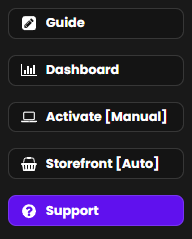
Go to the left-
handside menu. -
Click
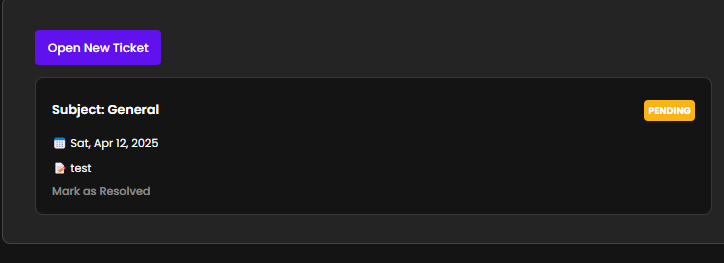
onSupport“Support”Ticketsto open the support center.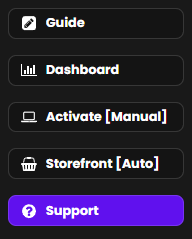
-
Step
Go Accountto:Visit https://app.resellportal.com and log
Log in withusing your reseller credentials.
Click “Open Ticket”
A button labeled“Open Ticket”This willbetakeavailable.Clicking this will trigger apop-up formyou toappearyour support center where you cansubmitviewyouropenissue.and past tickets.
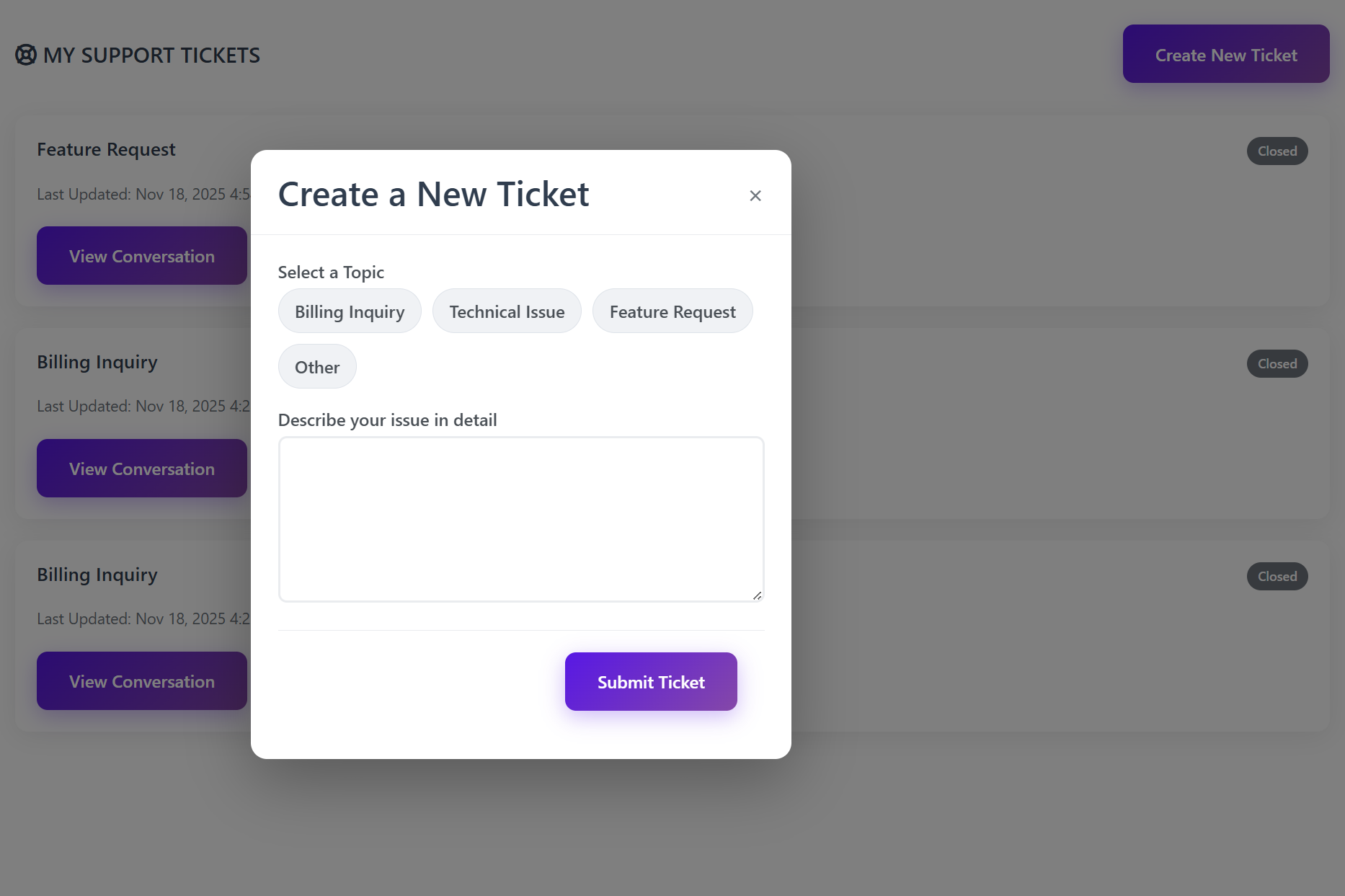
Step 3: Create a New Ticket
In the upper-right corner, click:
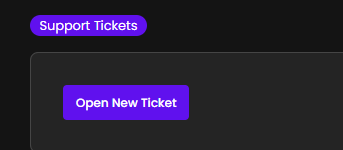
Create New Ticket
This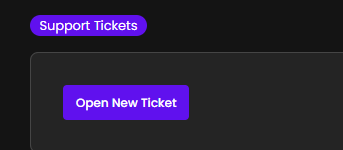 will
will
What to Fill Out
The supportthe ticket formsubmission includes two important fields:form.
1.
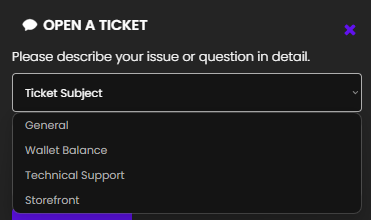
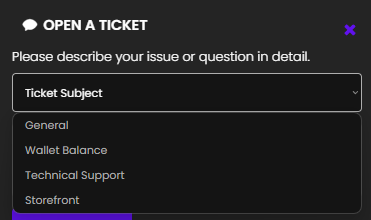
Choose the Correct Ticket SubjectType (Dropdown Menu)
ChooseSelect the most relevant category forfrom yourthe request:dropdown:
-
GeneralBilling Inquiry–—ForWalletgeneralbalancequestionsissues,aboutcharges,services,Stripeplatformbilling,navigation,invoices, oraccount info. Wallet Balance– For issuessubscription relatedto funds, wallet transactions, payment history, or withdrawals.questions-
Technical
SupportIssue–—For platformBugs, errors,bugs,brokensystemfeatures, activation issues, ordeploymentsystemproblems.problems -
StorefrontFeature Request–—ForSuggestionsclient-facingforstoreimprovementsissuesor(e.g.,newproduct visibility, checkout errors, API issues).
features -
2.
Choosing In the message box, include: What you were trying to do What Any error messages (if The more ✅ Once Once submitted: A support agent will review You will be notified Inquiry/Issuethe Descriptioncorrect (Textcategory Field)
Provide a clear and detailed description ofhelps your issueticket orget question. Be surerouted to the right team.
Describe Your Issue Clearly
wenthappened wrong (or what you'rewent confused aboutwrong)applicable)shown)StoreThe namespecific client, store, domain, or product/packageservice involved (if relevant).
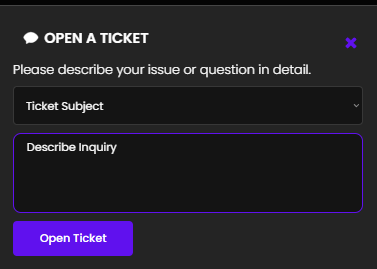
contextdetail you provide, the faster weour team can resolve theyour issue.Clickcan “Openalso Ticket”attach toscreenshots submitwhen the request.needed.
How It Works on Our Endyoucomplete, submitclick theSubmit ticket:Ticket.
After You Submit a Ticket
OurYour ticket is received instantly by our support team receives the request in real timesystemThe ticketIt is routed to the appropriate department based on your selected subjectyour inquiry, investigate the issue if needed, and respond directly withininside the supportticket sectionthreadinsidein your ResellPortal dashboard when yourthere ticket receivesis a responsereply
How to View, Reply to, or
resolution.
Where to Check Ticket Status
- Tickets
Return to
theSupport Ticketssectionat any time to:-
ViewSee all open tickets -
SeeViewticketrepliesstatusfrom(Pending,theInsupportProgress, Resolved)team -
ReadAddandmorereplyinformationtoorresponses from our team
screenshots -
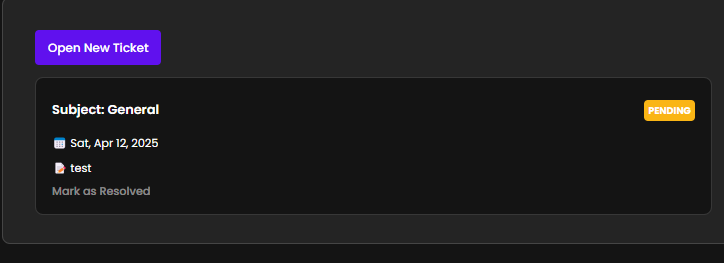
Ticket status may display as:
-
Open
-
In Progress
-
Awaiting Your Response
-
Closed
Time
Expected Response
TimesWe aim to respond to all
resellertickets within 24 business hours,.
Manythough mosttickets areaddressedanswered muchfastersooner, depending onthecomplexity andpriorityqueueof the issue.priority.
Best Practices for
FastFaster SupportDoTip ThisWhy itIt HelpsChoose the rightcorrectsubjectcategoryEnsuresSends yourticket goesissue to the right team fasterInclude screenshots (if relevant)Helps support staff quickly understandMakes technical issues easier to identifyBe specific inandyour messagedetailedReduces back-and-forth and speeds up resolutionmessagesInclude store namesclient orclientdomainIDsinfoUsefulHelpswhenpinpointtroubleshootingtheclient-specificissueproblemsquickly
When to Use the Support Ticket System
Use
supporttickets for:- Billing
questions
issues
✅ Wallet orpaymentStripediscrepancies
✅ Technical - problems
✅Platform bugs
✅ Feature improvement requests
✅ Storefront ordeploymentdomain issues Storefront or feature concernsAccount or reseller dashboard help
✅
Avoid using tickets
for:for:- Non-ResellPortal
services
❌ Third-party login issues
❌ Generalhow-totutorialsguidancealready(usecoveredourin documentationand onboarding materials first) Issues outside the ResellPortal system (e.g., 3rd-party account issues)
❌
Final Note
The
ticketSupport Ticket system is yourdirectprimarylinecommunicationtochannelResellPortal’swithdedicatedthesupportResellPortalteam.team. Use itany timeanytime you need help, clarification, or technical assistance. We're committed to helping you run yourclientsbusinessneed help resolving issues quicklysmoothly andefficiently.scaleWe’re here to help you succeed!successfully.Alternatively, if you prefer, you can reach us directly via email atcontact@resellportal.comfor support or inquiries. -