
AI Voice Agent (24/7 Smart Receptionist)
The AI Voice Agent ensures your clients never miss a lead again. It acts as a professional, 24/7 virtual receptionist that can answer questions, provide business information, and even book appointments directly into a calendar—all while sounding natural and helpful.
1. The Overview Dashboard
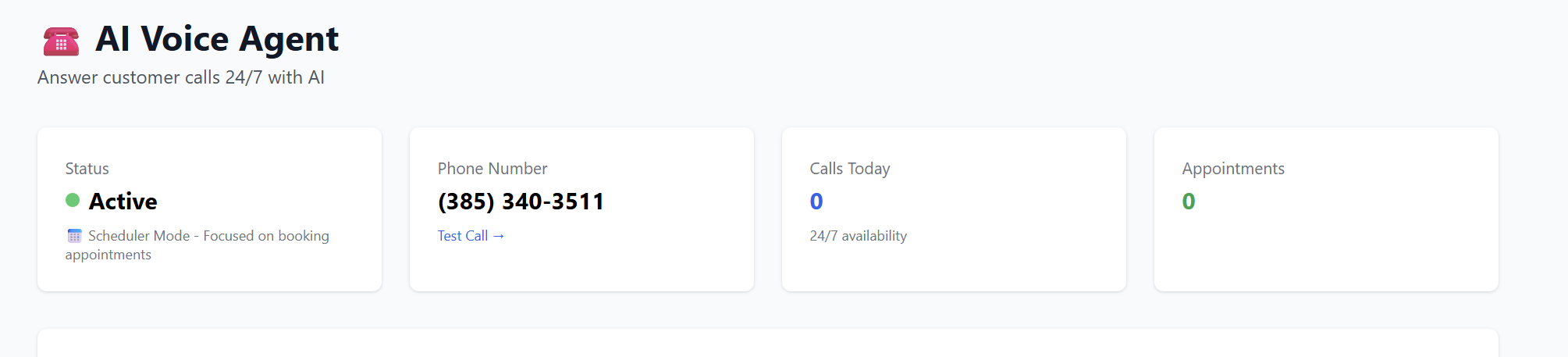
When you access the AI Voice Agent dashboard, you get a real-time snapshot of the agent's performance:
-
Status: See if the agent is active and what mode it is in (e.g., Scheduler Mode for booking appointments).
-
AI Phone Number: The permanent number assigned to the AI agent. This number is used to handle incoming traffic.
-
Analytics: Track "Calls Today" and "Total Appointments" booked by the AI.
-
Recent Activity: View recent calls, read full conversation transcripts, and see customer details for follow-up.
2. Configuring the AI "Brain" (Edit Configuration)
To make the agent effective, you must train it on your client's business. Click "Edit Configuration" to access these settings:
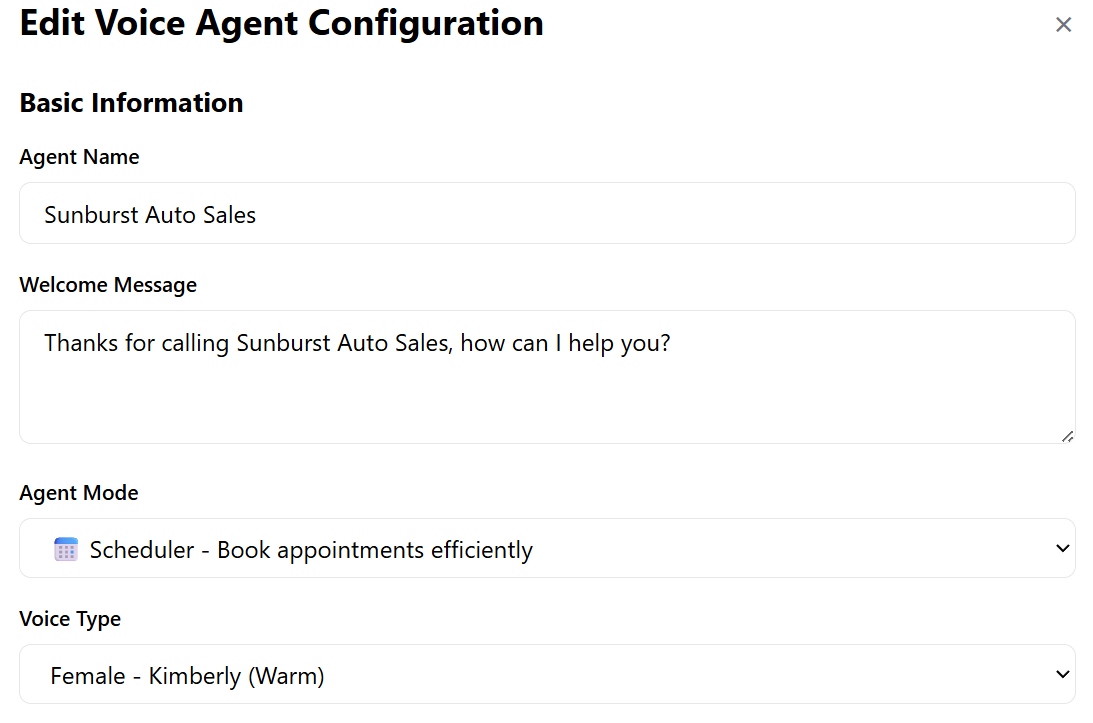
Basic Information
-
Agent Name & Welcome Message: Define how the AI introduces the business (e.g., "Thanks for calling Sunburst Auto Sales, how can I help you?").
-
Agent Mode: Select Scheduler to have the AI focus on booking appointments, or Informational for general Q&A.
-
Voice Type: Choose from various personas (e.g., Kimberly - Warm) to match the brand's personality.
The Knowledge Base (AI Training)
This is where the AI becomes an expert.
-
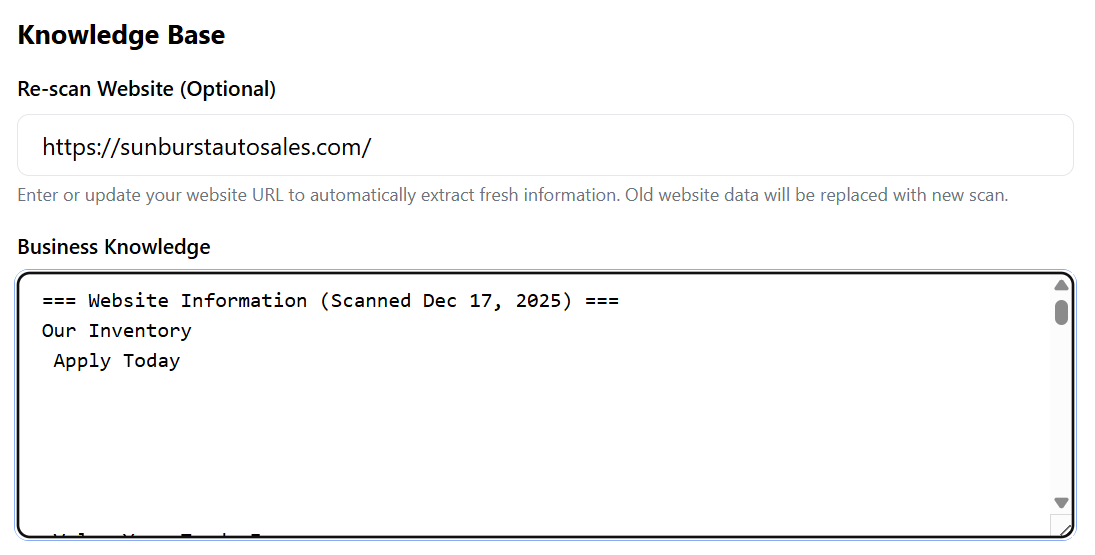
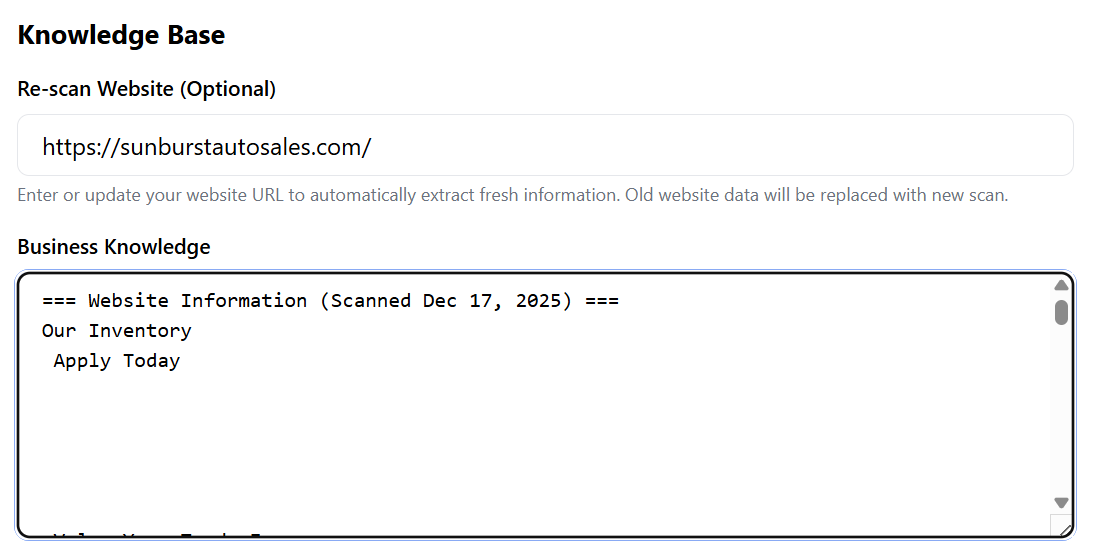
Website Re-Scan: Simply enter the client’s website URL. The system will automatically scan and extract information about inventory, pricing, services, and FAQs.
-
Business Knowledge: You can review the scanned data (as seen in the Sunburst Auto Sales example) to ensure the AI knows exactly what cars are in stock, current pricing, and business hours.
Notifications & Alerts
-
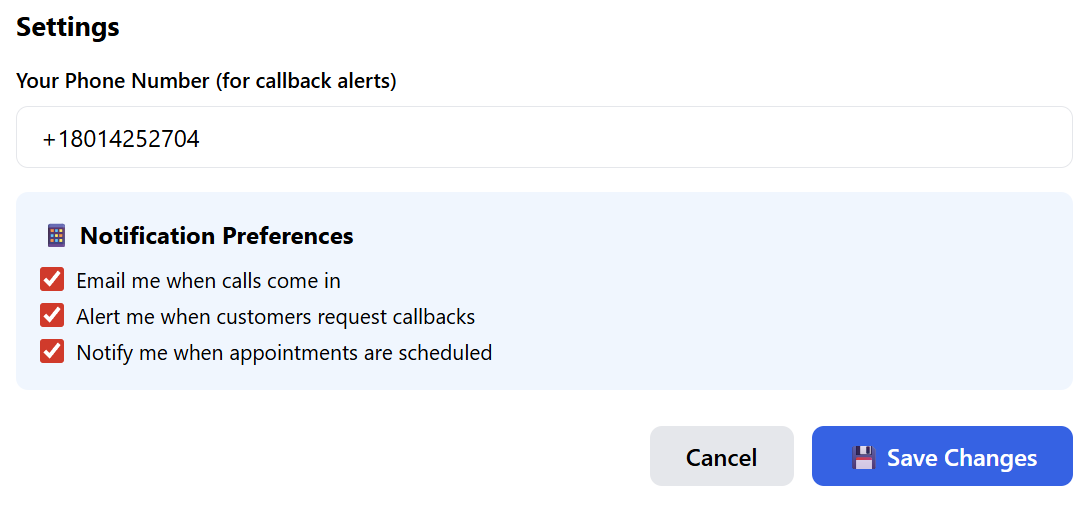
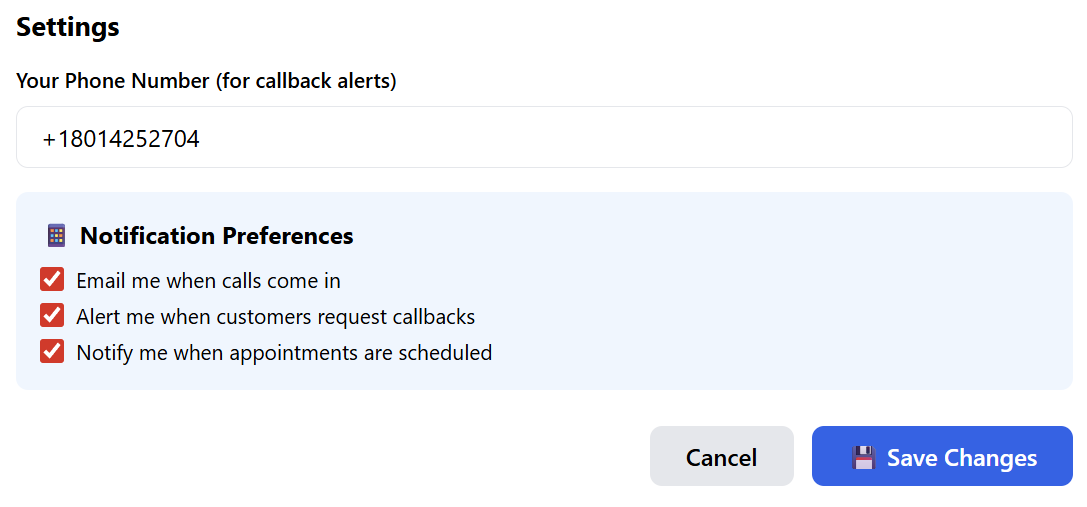
Callback Alerts: Enter a mobile number to receive instant SMS alerts when a customer specifically asks for a human to call them back.
-
Preferences: Toggle email notifications for every incoming call, callback request, or scheduled appointment.
3. Deployment: Smart Phone Widgets
The Smart Phone Widget is a dynamic tool for the client’s website that automatically routes customers to the right place based on the time of day.
Creating a New Widget
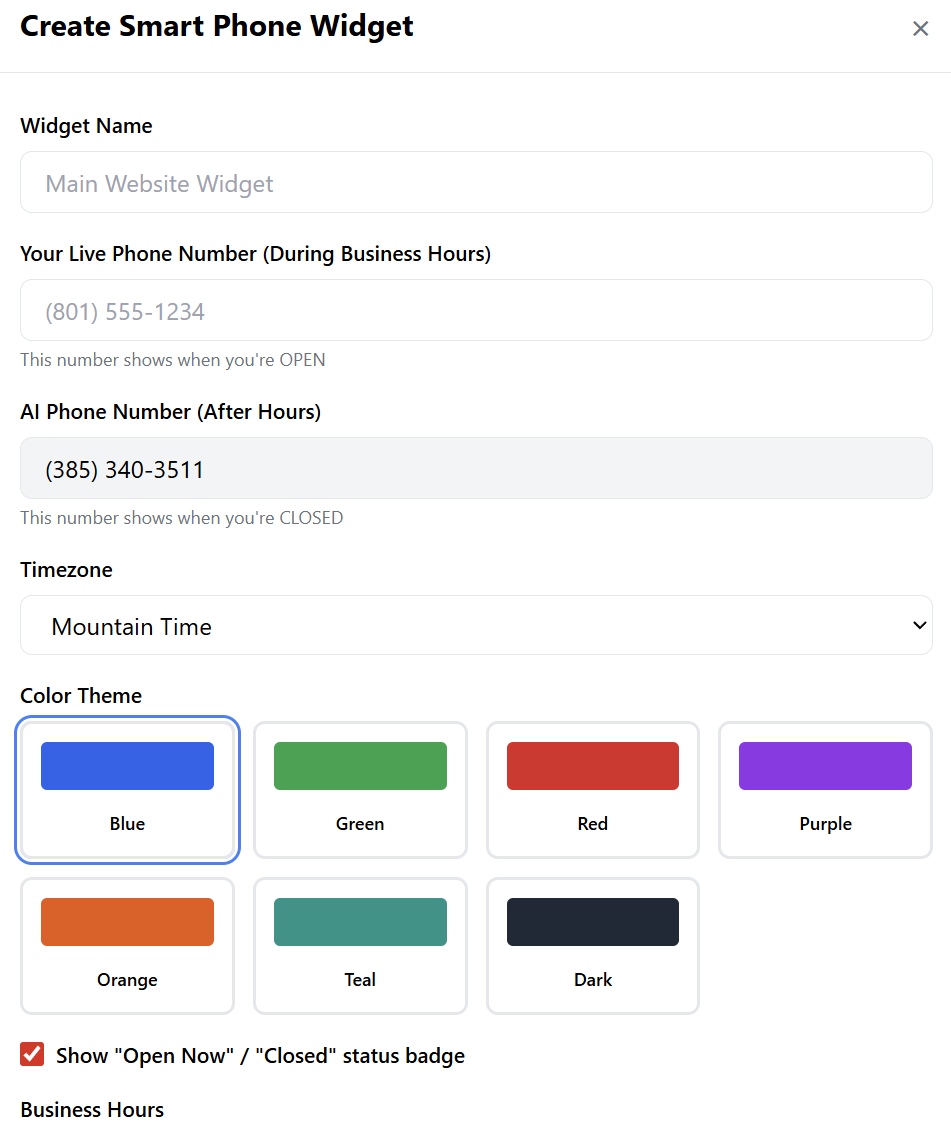
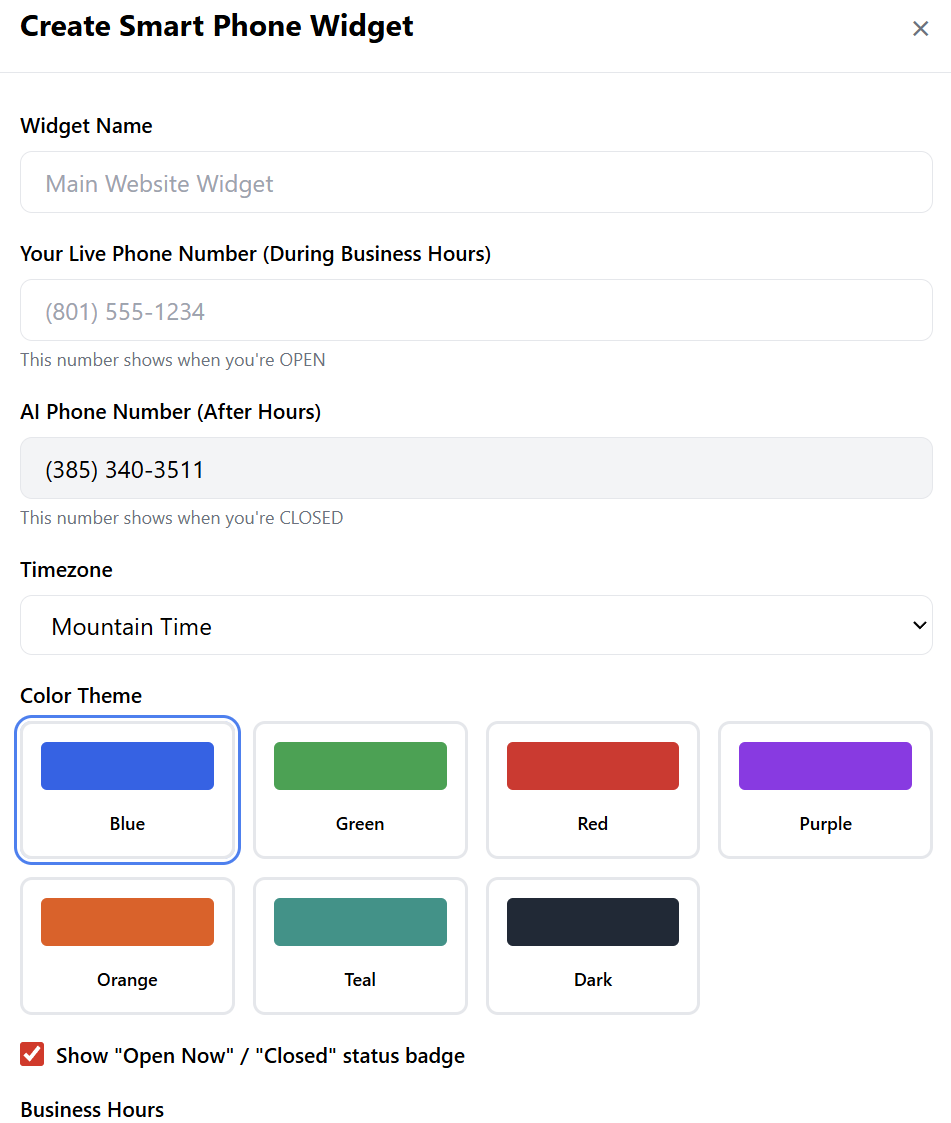
Click "+ Create Widget" and fill in the following:
-
Live Phone Number: The number for the human staff (used during business hours).
-
AI Phone Number: The number for the AI Voice Agent (used after hours).
-
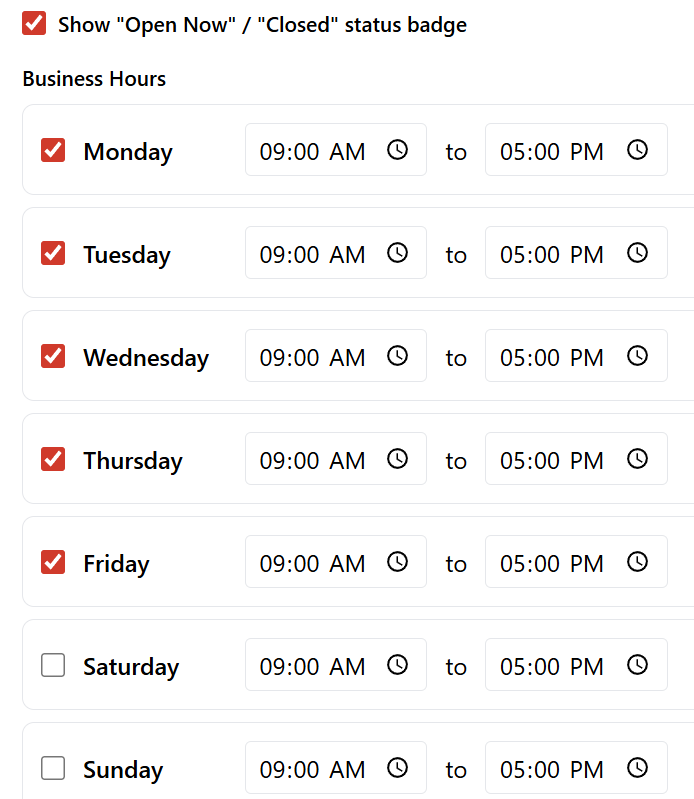
Business Hours & Timezone: Set the specific operating hours for the week.
-
Visual Branding: Choose a color theme (Blue, Green, Red, etc.) and toggle the "Open Now / Closed" status badge.
How it Works:
-
During Business Hours: The website widget displays the Live Number, encouraging customers to call the office.
-
After Hours: The widget automatically switches to show the AI Number, ensuring the AI Agent picks up the phone and handles the inquiry or booking while the staff is away.
Deployment: Once created, click "Get Code" to receive a small snippet of code that can be pasted into any website.

4. Managing Call Logs
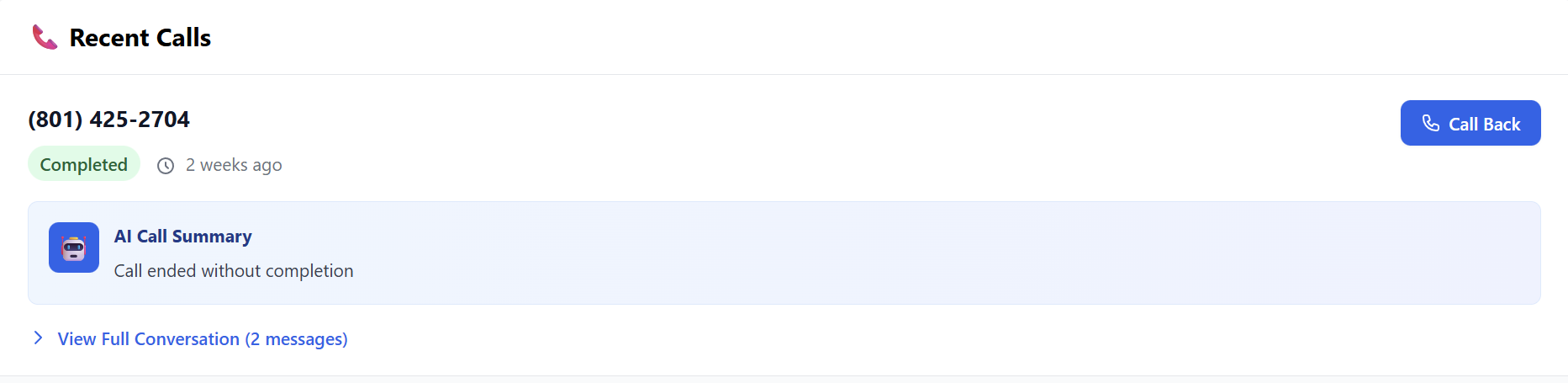
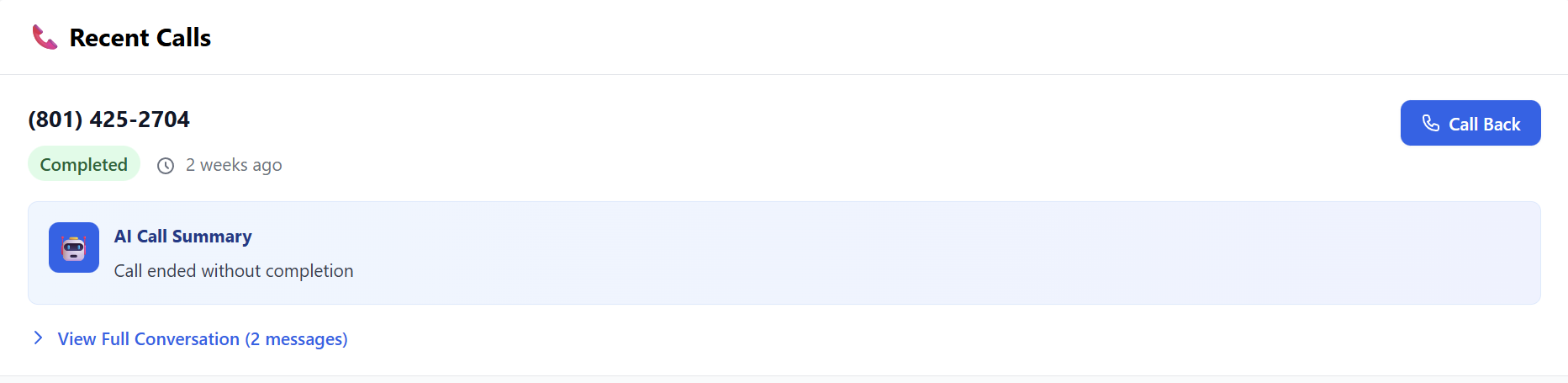
The Recent Calls section provides full transparency:
-
View Conversation: Read the full text transcript of exactly what the customer said and how the AI responded.
-
Call Back: If the AI flags a high-intent lead, you can initiate a callback with one click.
-
Appointment Details: If the agent was in Scheduler Mode, you can see the specific date and time the customer chose.


Reseller Pro-Tip:
Pitch this to local businesses (contractors, salons, auto dealers) as a way to "Stop losing money to missed calls." By using the Website Re-scan feature, you can set up a fully trained, professional AI agent for a client in less than 10 minutes.
Ready to activate? Find the AI Voice Agent in the Marketplace on www.resellportal.com.