AI Voice Agent (24/7 Smart Receptionist)
Thehe AI Voice Agent ensures your clients never missis a lead again. It acts as a professional, 24/7professional-grade virtual receptionist that canensures answer questions, provideyour business information,never misses a lead. This guide covers how to activate the service as a reseller and evenhow bookto appointmentsconfigure directlythe intoagent afor calendar—allmaximum while sounding natural and helpful.efficiency.
1.Part The1: OverviewReseller DashboardActivation (Provisioning the Service)
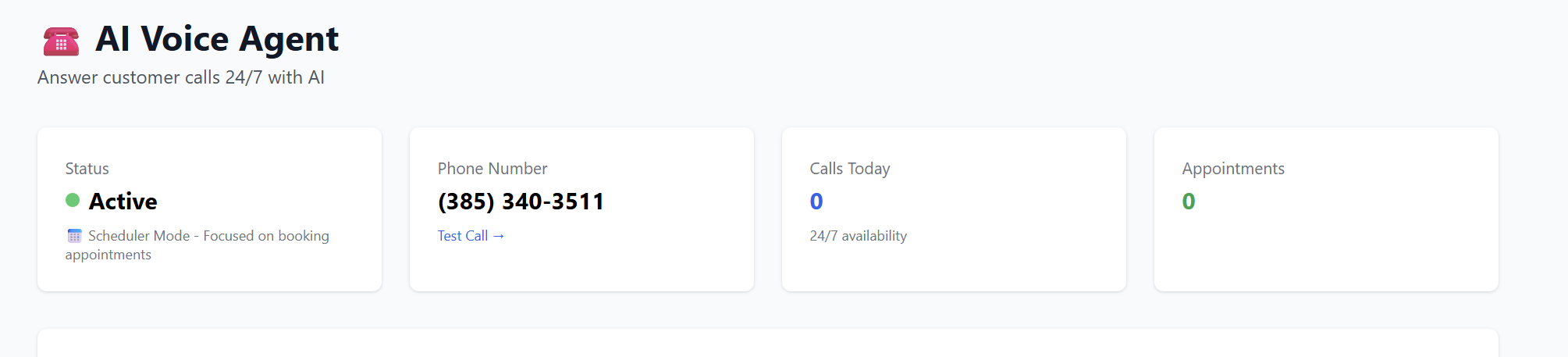
WhenBefore your client can use the tool, you accessmust activate it within the AIResell Voice Agent dashboard, you get a real-time snapshot of the agent's performance:Portal.
-
Status:Marketplace:SeeLogifin to www.resellportal.com, go to theagent is activeMarketplace, andwhatselectmode it is in (e.g.,theSchedulerAIModeVoice Agentforfrombookingtheappointments).Business AI Suite. -
AIAssignPhone Number:Client:TheChoosepermanentannumberexistingassignedclienttoortheaddAIaagent.newThis number is used to handle incoming traffic.one. -
Analytics:Billing Cycle:Track "Calls Today" and "Total Appointments" booked by the AI. Recent Activity:View recent calls, read full conversation transcripts, and see customer details for follow-up.
2. Configuring the AI "Brain" (Edit Configuration)
To make the agent effective, you must train it onSelect your client'spreferred business.billing Click "Edit Configuration" to access these settings:
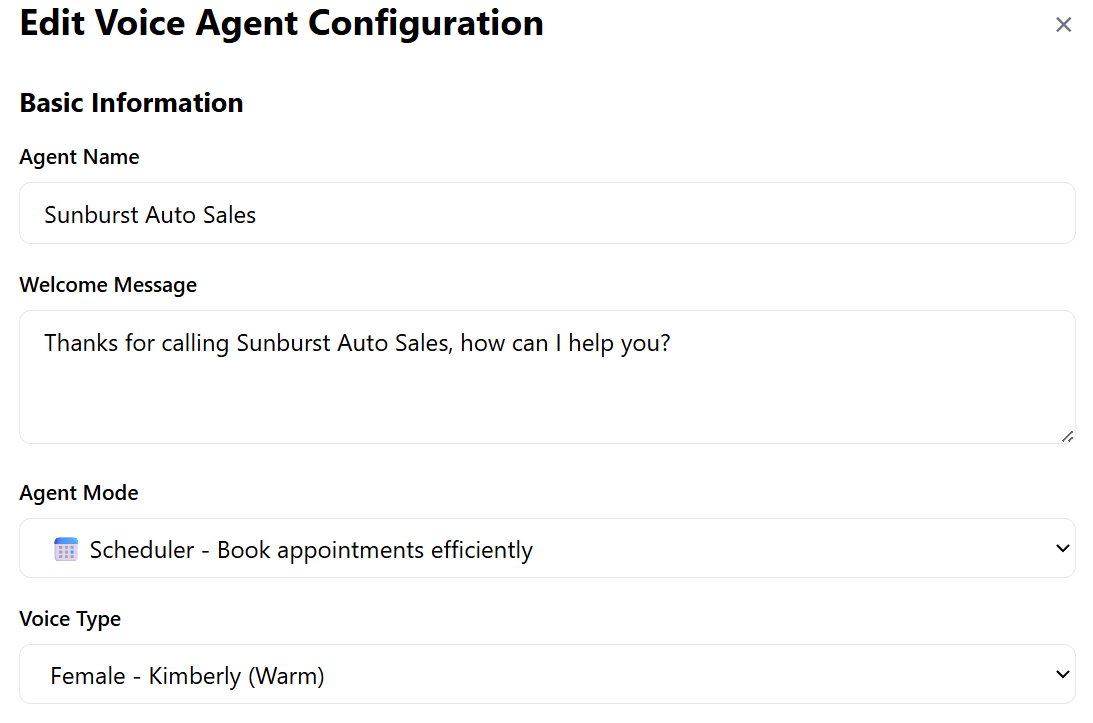
Basic Information
Agent Name & Welcome Message:Define how the AI introduces the businessterm (e.g.,Monthly,"ThanksQuarterly,for calling Sunburst Auto Sales, how can I help you?"etc.).-
Agent Mode:Activate:SelectEnsure your wallet has sufficient funds and clickSchedulerAdd Service to Clientto have the AI focus on booking appointments, orInformationalfor general Q&A. Voice Type:Choose from various personas (e.g.,Kimberly - Warm) to match the brand's personality.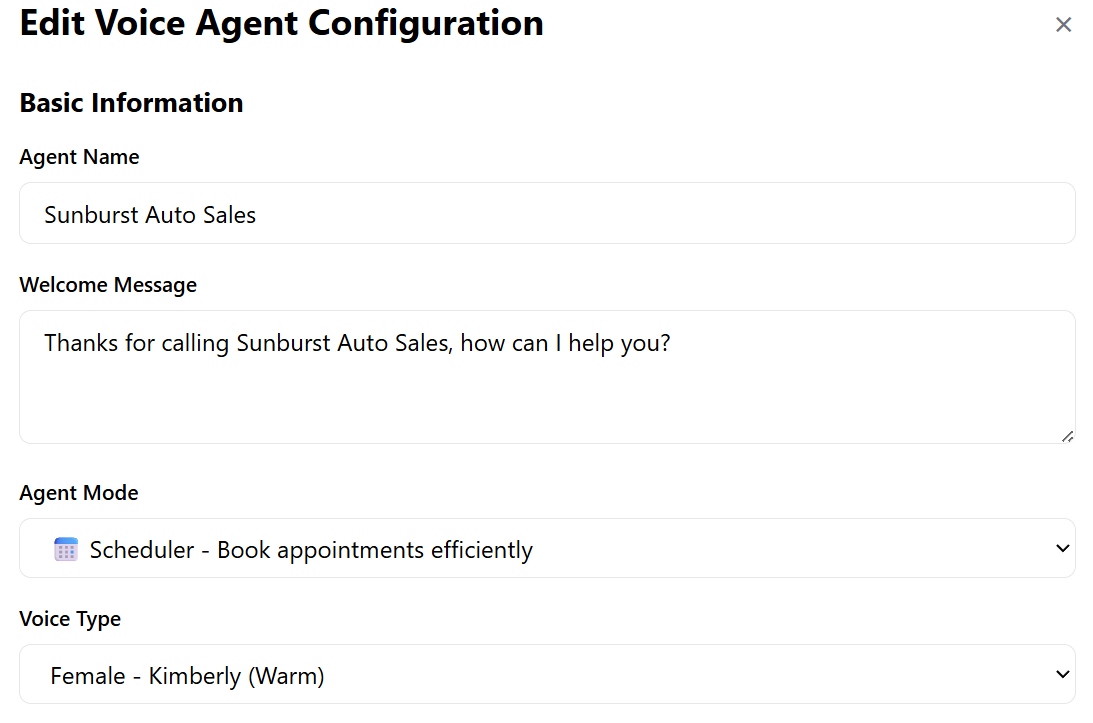
The Knowledge Base (AI Training)
This is where the AI becomes an expert.
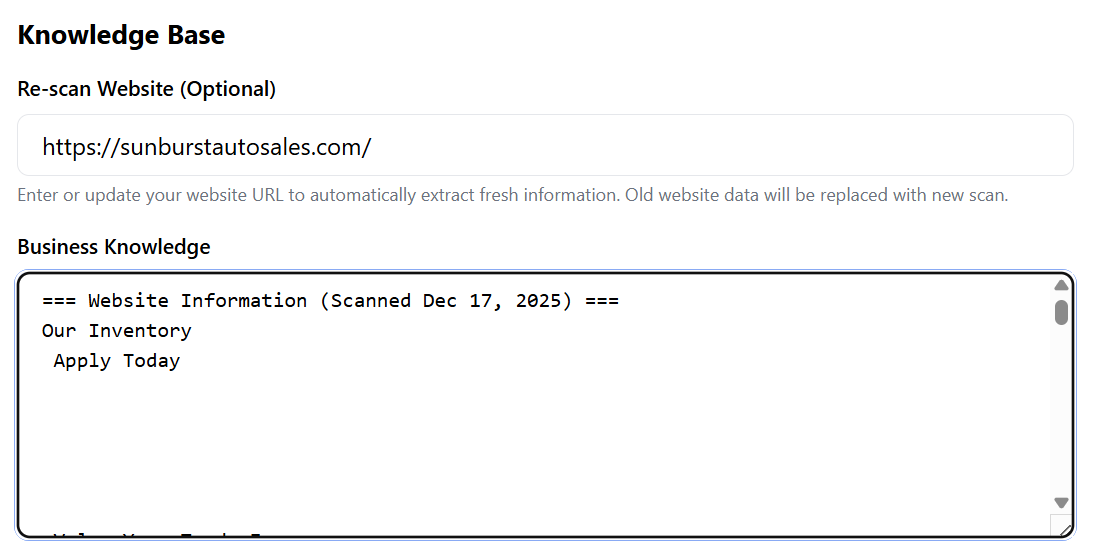
Website Re-Scan:Simply enter the client’s website URL. The system will automatically scan and extract information about inventory, pricing, services, and FAQs.Business Knowledge:You can review the scanned data (as seen in the Sunburst Auto Sales example) to ensure the AI knows exactly what cars are in stock, current pricing, and business hours.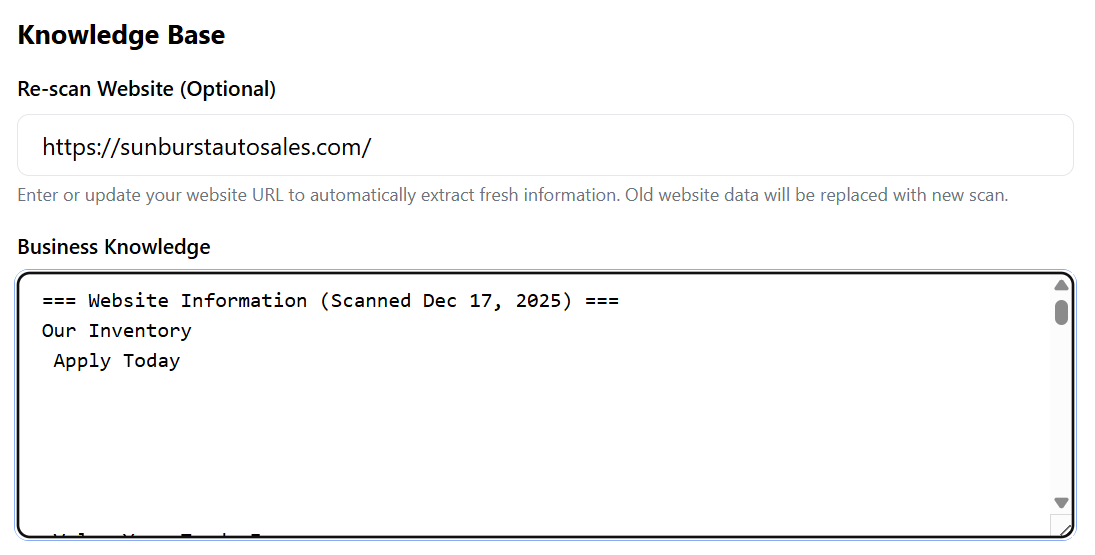
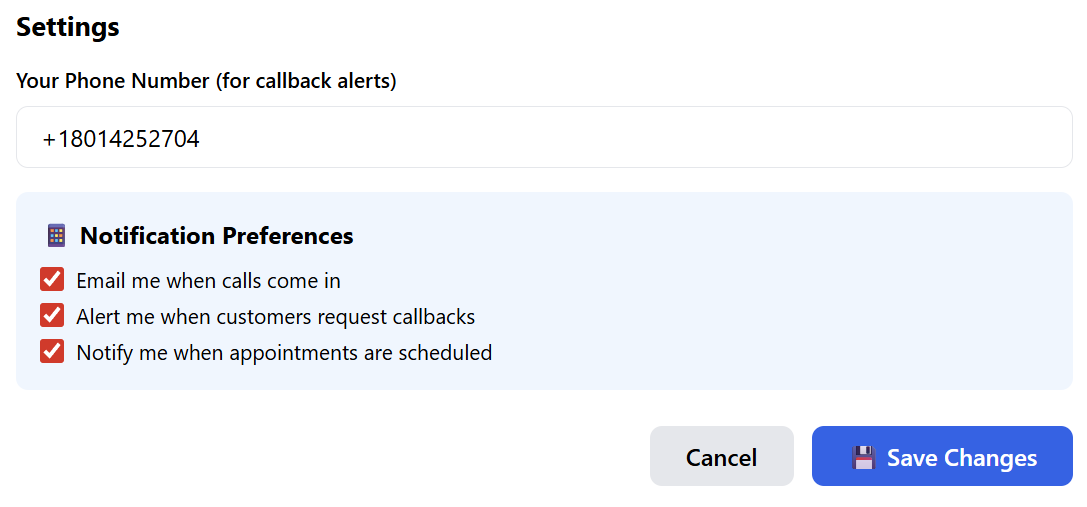
Notifications & Alerts
Callback Alerts:Enter a mobile number to receive instant SMS alerts when a customer specifically asks for a human to call them back.Preferences:Toggle email notifications for every incoming call, callback request, or scheduled appointment.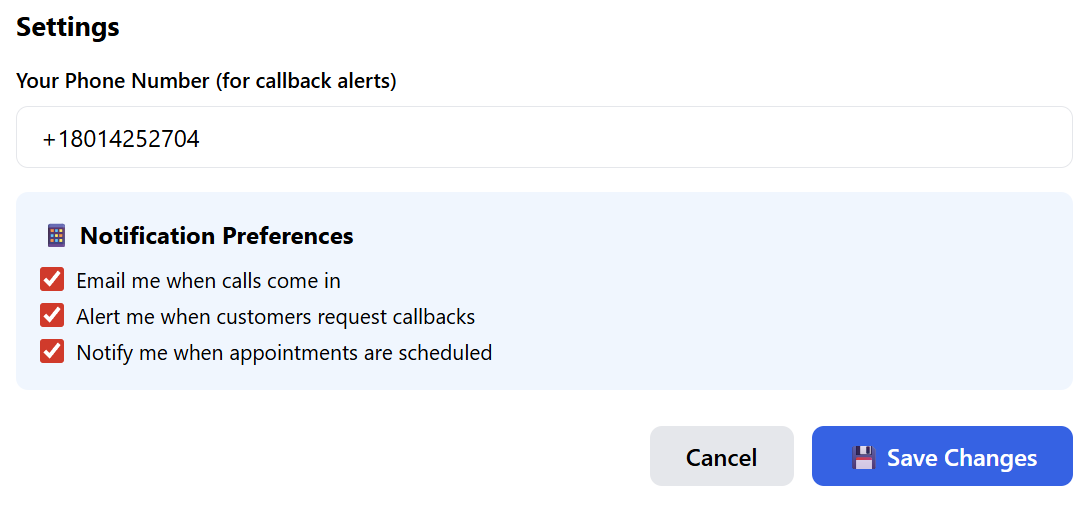
3. Deployment: Smart Phone Widgets
The Smart Phone Widget is a dynamic tool for the client’s website that automatically routes customers to the right place based on the time of day.
Creating a New Widget
Click "+ Create Widget" and fill in the following:
Live Phone Number:The number for the human staff (used during business hours).-
AI Phone Number:Onboarding:TheYournumberclientforwill receive an automated email with their dashboard login credentials. -
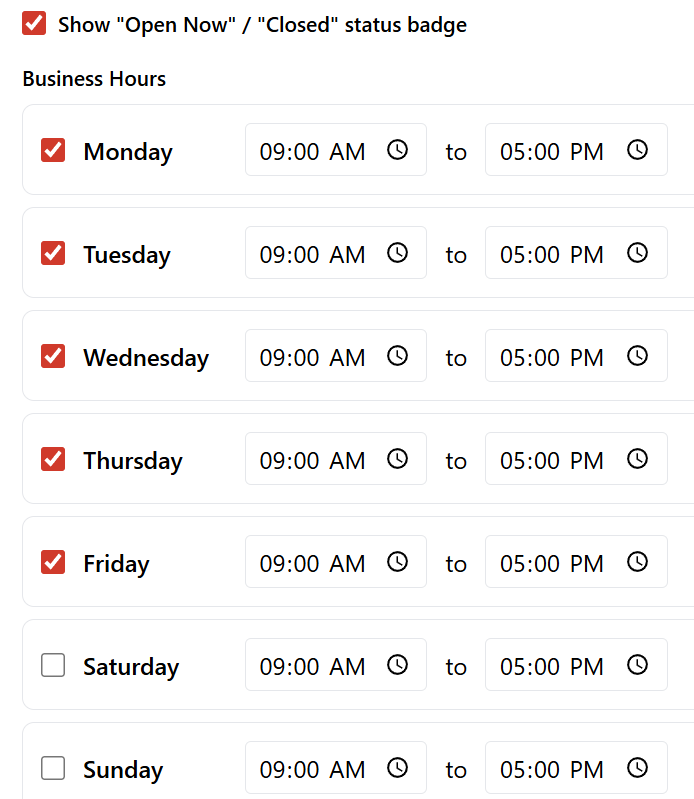
BusinessTheHoursIdeal& Timezone:Workflow:SetUsetheourspecific operating hours for the week. VisualSmartBranding:WidgetChooseonayourcolorwebsite.themeDuring(Blue,businessGreen, Red, etc.) and togglehours, the"Open Now / Closed"status badge.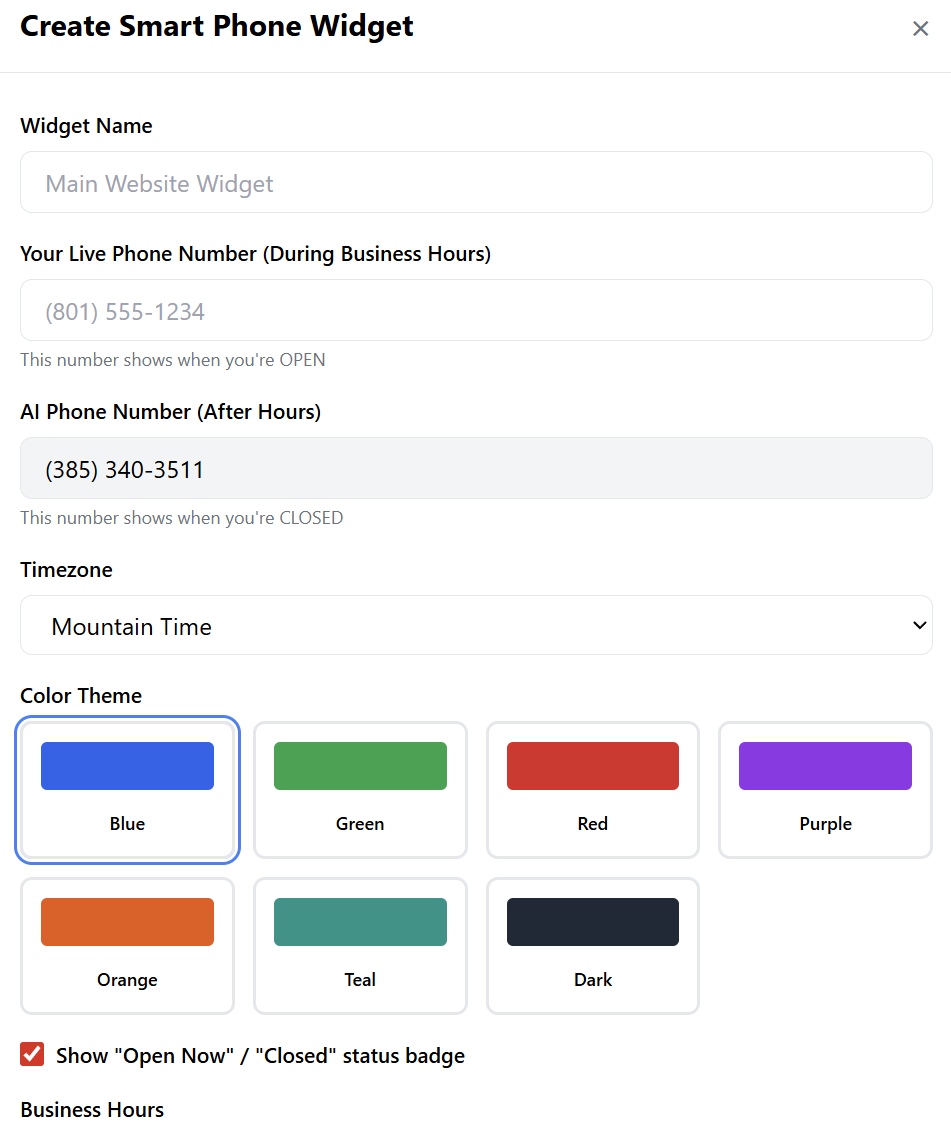
Part 2: How the AI Voice Agent Works (usedCustomer afterView)
The Voice Agent is an AI-powered system designed to handle inquiries, schedule meetings, and qualify leads.
How it Works:
During Business Hours:The websitewidget displaystheyourLiveliveNumber,officeencouragingnumber.customers to call the office.After
Hours:hours,The widgetit automatically switches to show the AI Number,.ensuringThis ensures that while your staff is away, the AIAgentpicks up the phoneandtohandleshandle inquiries instantly.
Part 3: Initial Setup & Configuration
1. Choosing Your Permanent Number
When you first open the
inquirytool, you will be prompted to choose a phone number.-
Search by Area Code: Find a local number that fits your business location.
-
⚠️ Important: This number is permanent and cannot be changed or
bookingdeletedwhileonce selected. It will serve as thestaffgateway for your AI Agent.
2. Customizing Your Agent
Click Edit Configuration to define your agent’s personality and knowledge:
-
Basic Info: Set the Business/Agent Name and a custom Welcome Message (e.g., "Hello! You've reached Sunburst Auto Sales, how can I help you today?").
-
Voice Type: Choose a voice persona (Male/Female) that matches your brand tone.
-
-
-
Knowledge Base: Enter your website URL and click Scan. The AI will crawl your site to learn your services, inventory, and FAQs.
-
-
-
-
Custom Knowledge: You can manually add or edit information to ensure the AI has the most up-to-date details not found on your website.
3. Setting Notification Preferences
-
Callback Number: Set a mobile number to receive alerts when a caller requests to speak to a human.
-
Alert Toggles: Choose to be notified via email for every new call, scheduled appointment, or callback request.
Part 4: The 4 Agent Modes
You can set a specific goal for your agent depending on your business needs:
-
📅 Scheduler: The agent’s primary goal is
away.to book appointments. It interacts with the caller to find a preferred date/time, sends an email request to you, and provides a confirmation email to the caller. -
📋 Collector: The agent focuses on gathering lead data (Name, Email, Phone, and specific project details). This information is sent to you immediately via email.
-
ℹ️ Informer: Ideal for general Q&A. The agent uses your scanned website content to answer frequently asked questions about your hours, location, and services.
-
🎯 Qualifier: The agent asks targeted questions to determine if a caller is a "hot lead" based on your criteria. You receive the qualification results via email.
Part 5: Viewing Call Logs & Transcripts
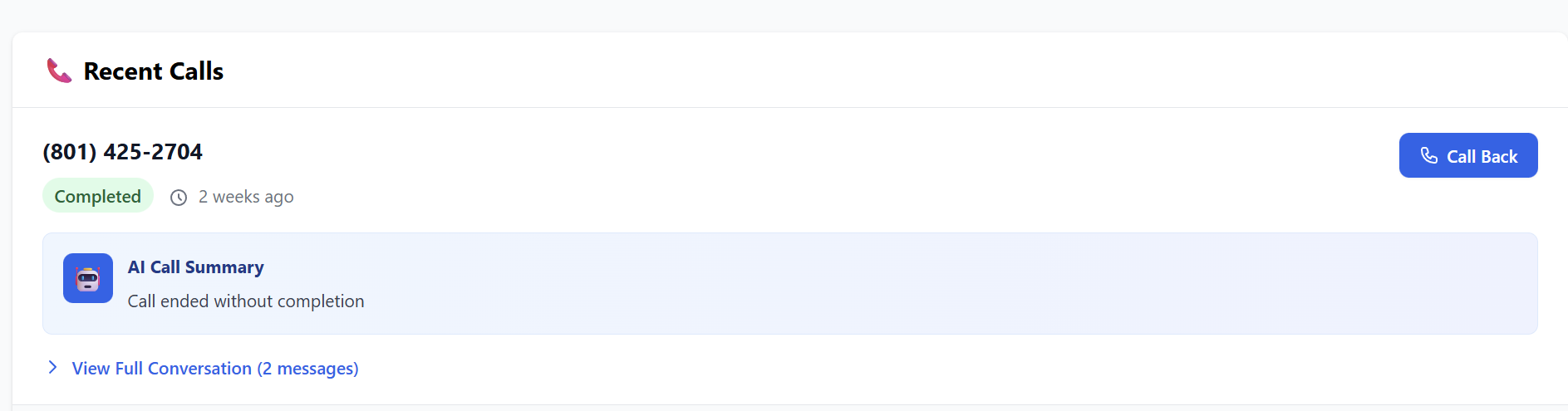
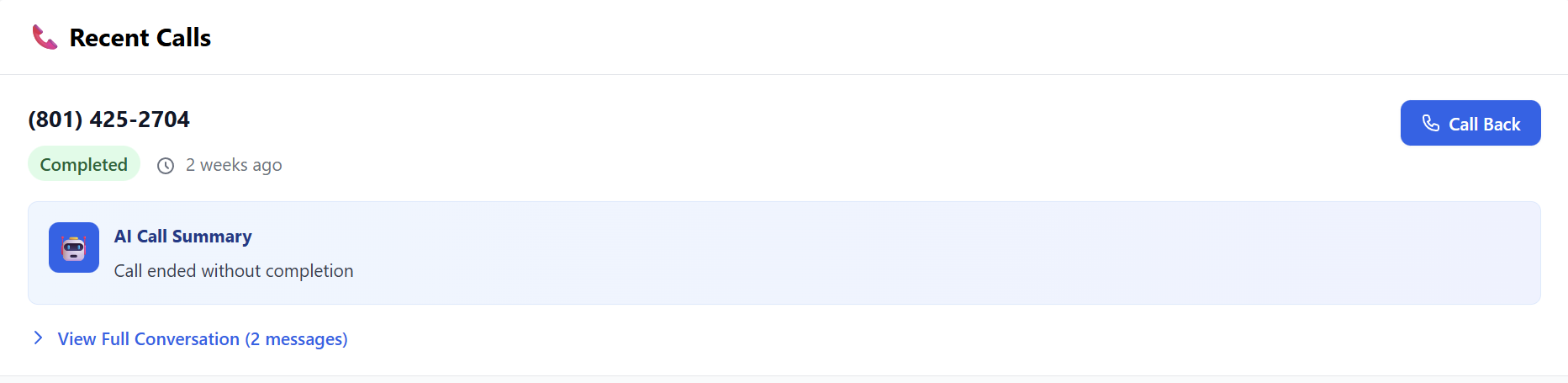
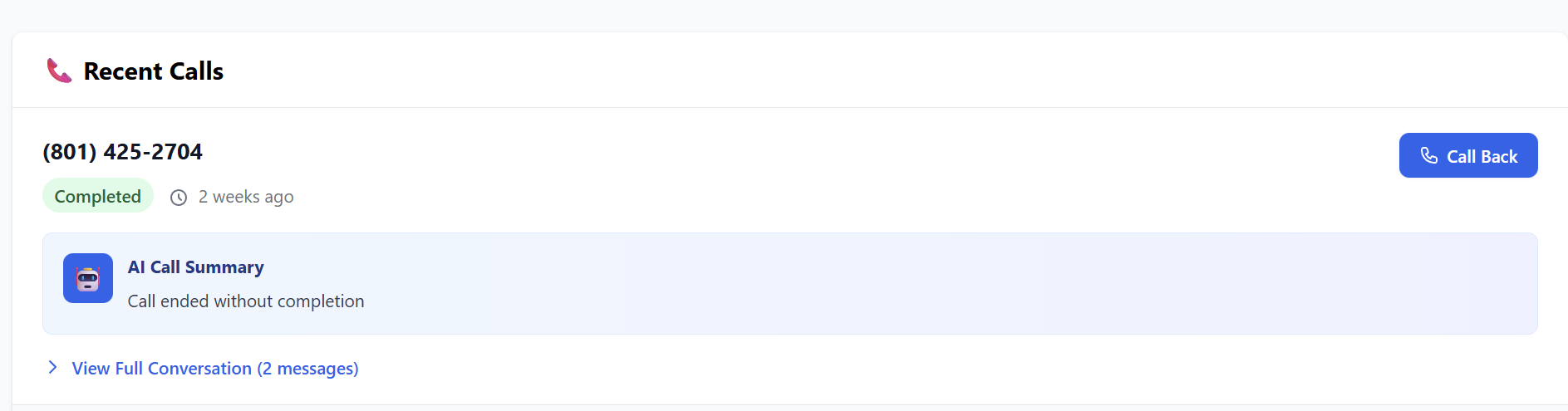
You can monitor all AI interactions under the Recent Calls section on the main page:
-
AI Summary: A quick bulleted summary of what the call was about.
-
Full Transcript: A word-for-word text record of the conversation.
-
-
Caller Details: View the caller's number and the specific outcome (e.g., "Appointment Scheduled").
Deployment: -
Oncecreated, -
click"Get Code"to receive a small snippet of code that can be pasted into any website.
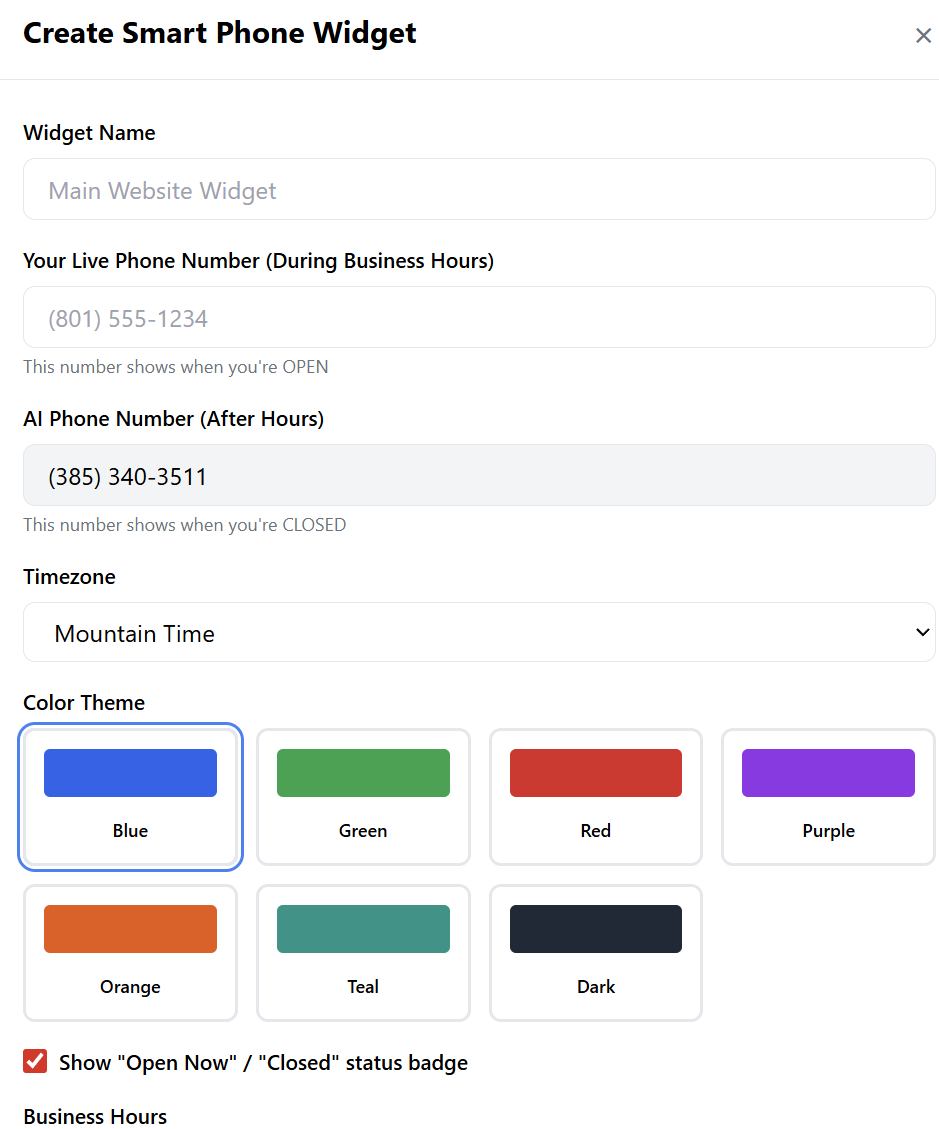
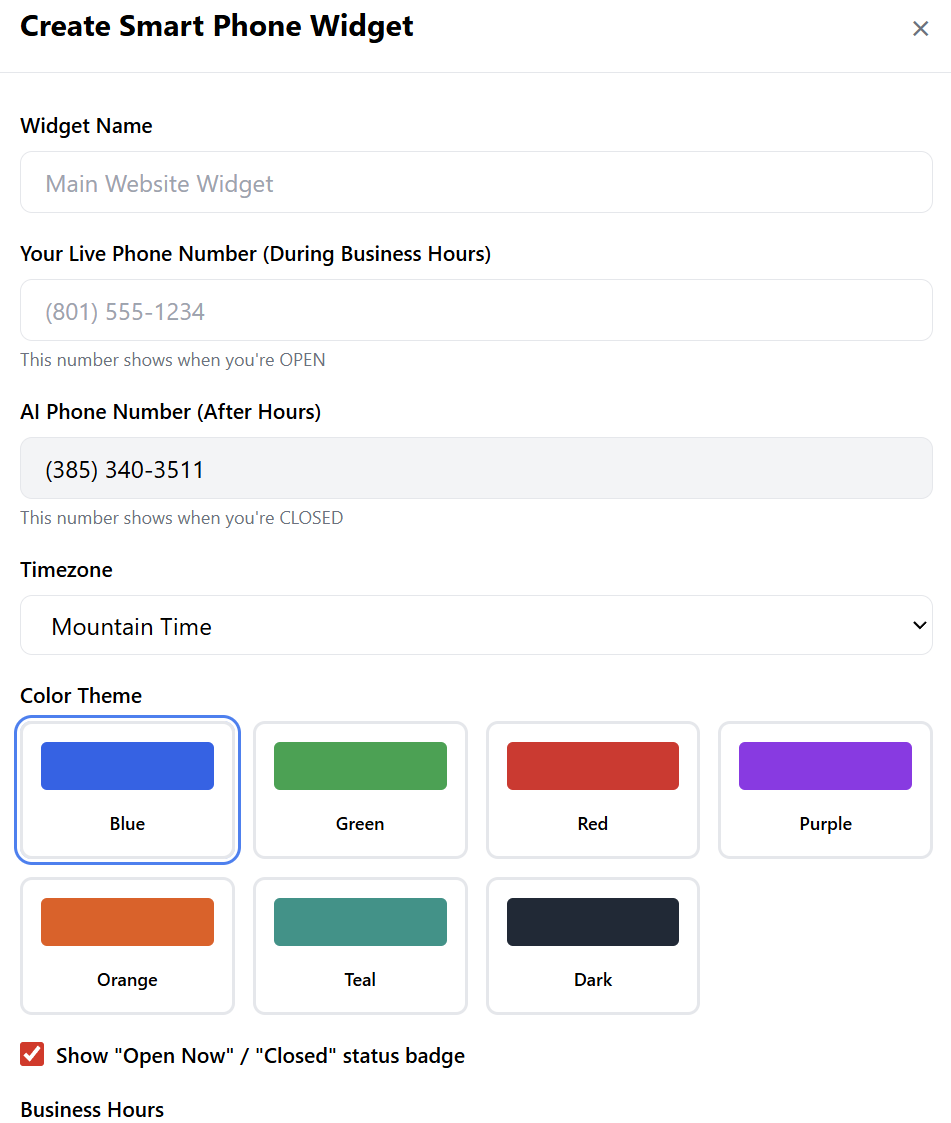
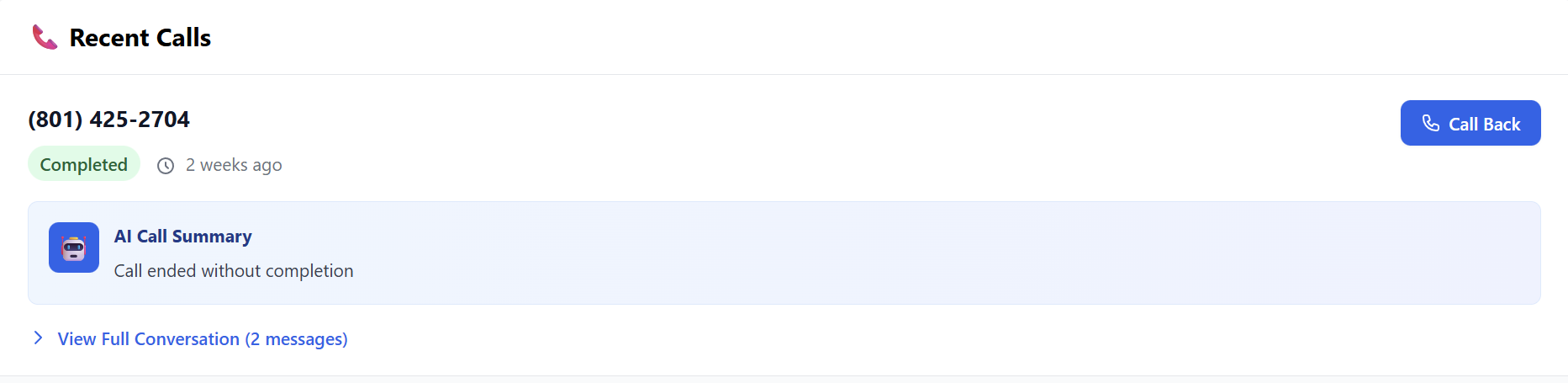
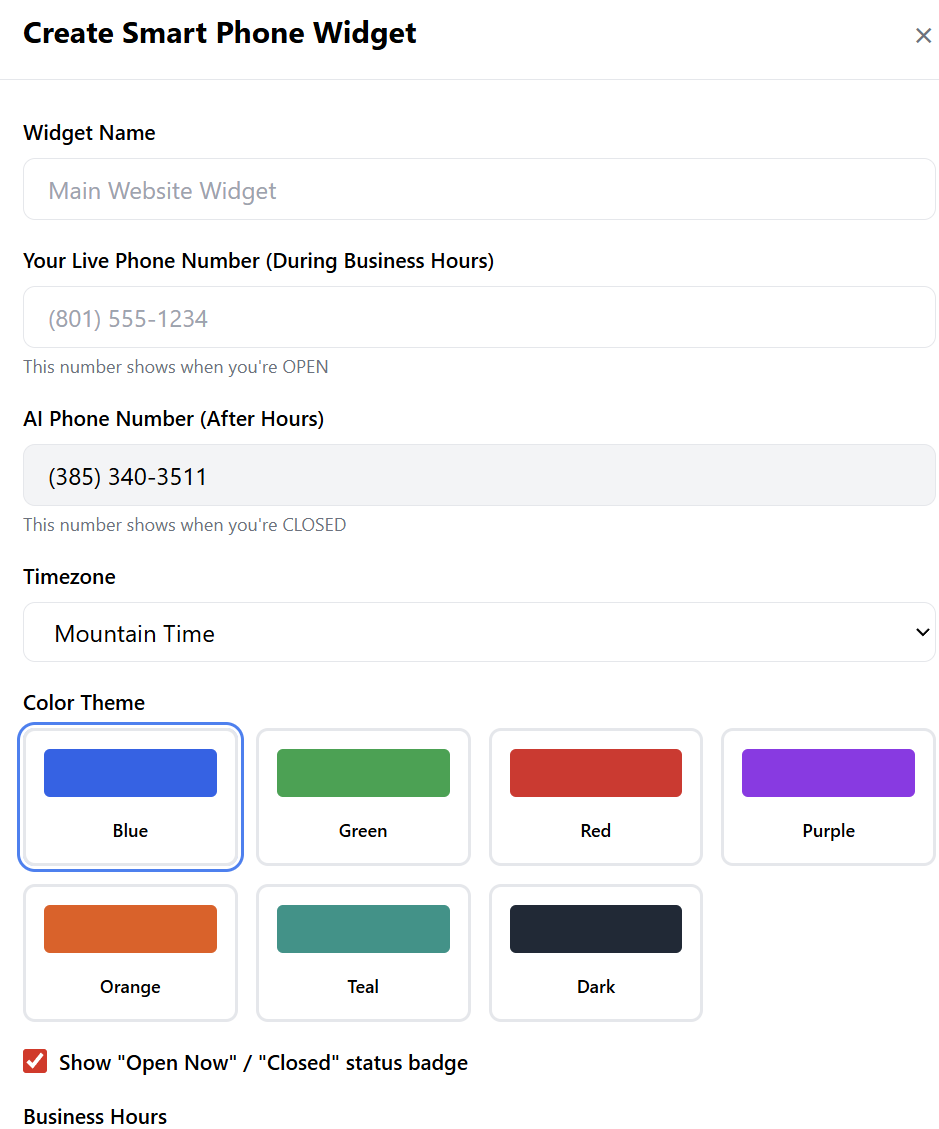
4.PartManaging6:CallCreatingLogsthe Website WidgetTheToRecentimplementCallsthesection"NumberprovidesSwitcher"fullontransparency:your website:-
ViewCreateConversation:Widget:ReadClick thefull"CreatetextWidget"transcriptbutton.of
exactly what the customer said and how the AI responded. -
CallConfiguration:Back:-
Enter the Live Number
If(forthebusinessAI flags a high-intent lead, you can initiate a callback with one click.hours). -
The
AppointmentAIDetails:NumberIfistheauto-filledagentfromwasyourinaccount. -
Set your
SchedulerBusinessModeHours, you can see the specific dateandtimeTimezone.the -
chose.Select a Color Theme to match your website design.

customer -
-
Reseller Pro-Tip:Deployment:Pitch this to local businesses (contractors, salons, auto dealers) as a way toClick"StopCreatelosing money to missed calls."Widget,Bythenusing theclickWebsiteCopyRe-scanCode.feature,PasteyouthiscanHTML snippet into your website's footer or header.
The widget will now automatically toggle between your live staff and your AI Agent based on the time of day.
Summary for Resellers:
The AI Voice Agent is a "sticky" service with high retention. By helping your clients set upatheirfullyKnowledgetrained,BaseprofessionalandAIWidget,agentyouforprovide them with aclient24/7insaleslessforcethanthat10neverminutes.takes a day off.Ready to activate? Find theAI Voice Agentin the Marketplace onwww.resellportal.com.-