
AI Contract & Document Manager
The AI Contract & Document Manager is an intelligent repository that does more than just store files. Using advanced AI, it scans uploaded documents to extract key dates, financial values, and involved parties, providing a high-level overview of a business's contractual health.
1. The Executive Dashboard
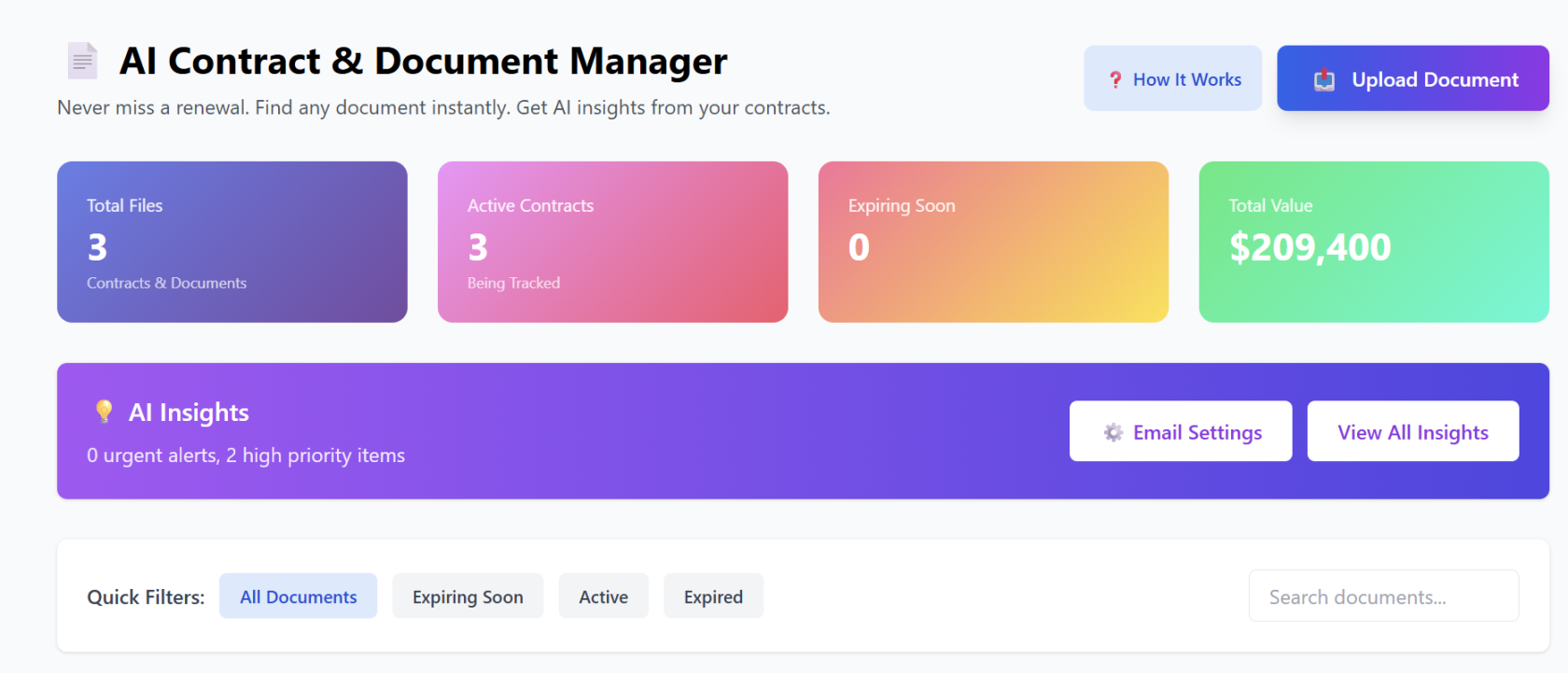
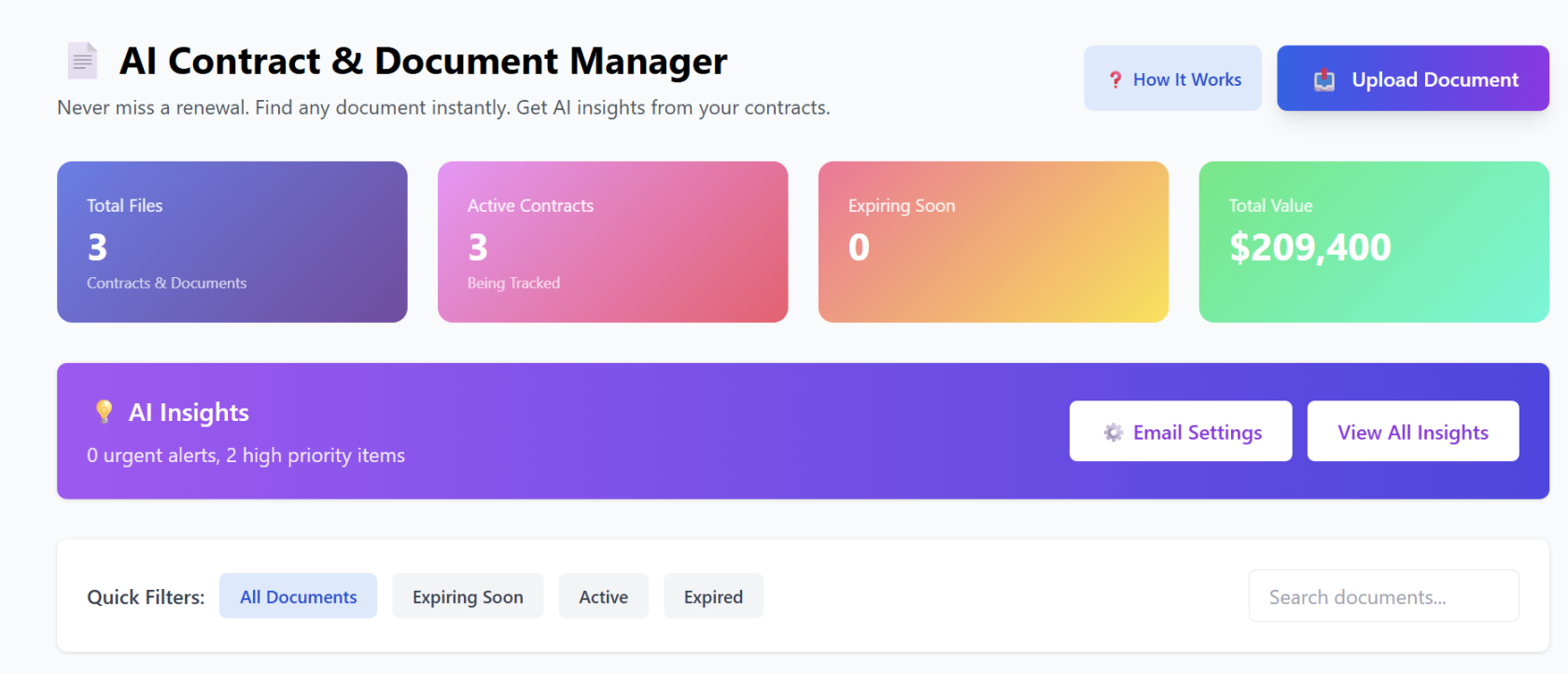
Upon login, users see a high-level summary of their document portfolio:
-
Key Metrics: View the Total Files stored, number of Active Contracts being tracked, and a countdown of items Expiring Soon.
-
Total Portfolio Value: The AI calculates the total financial weight of all active contracts, giving businesses an instant view of their committed spend or revenue.
-
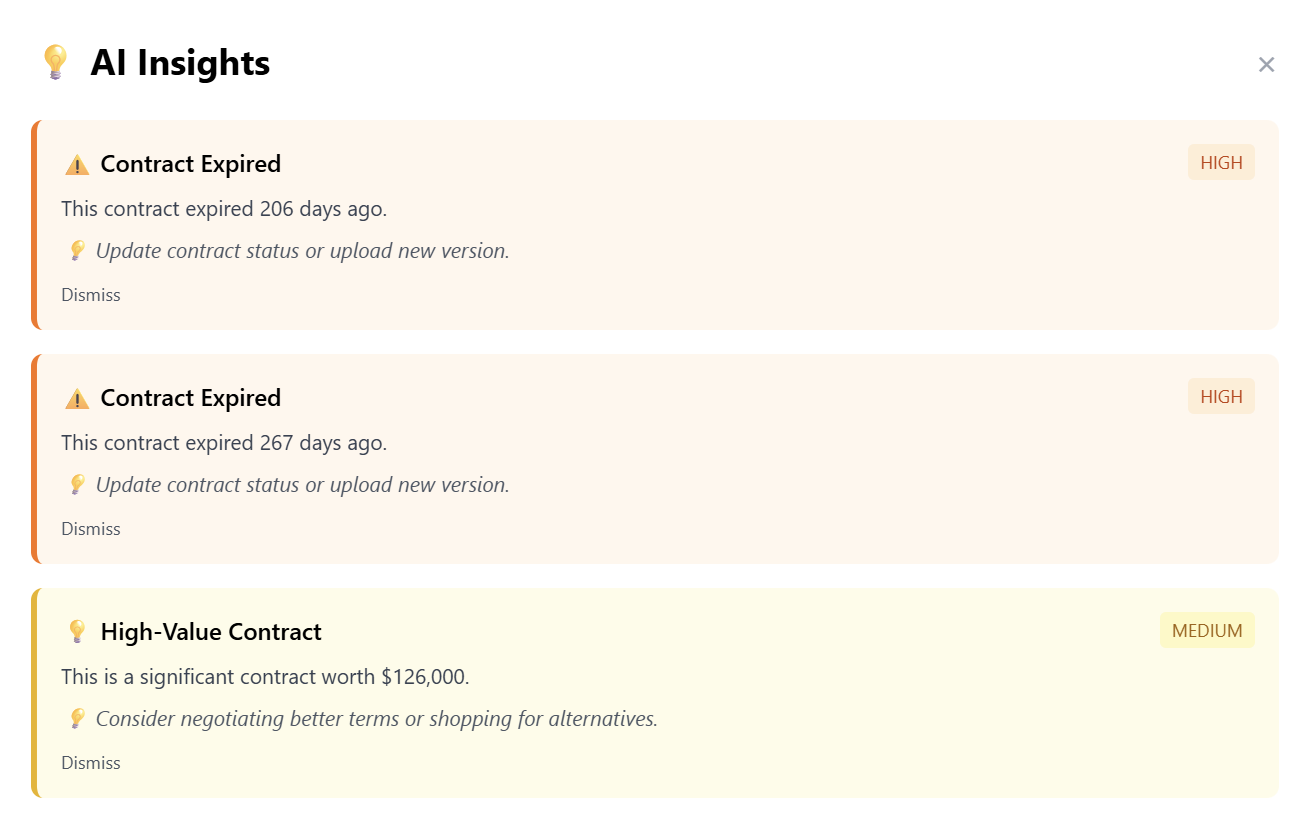
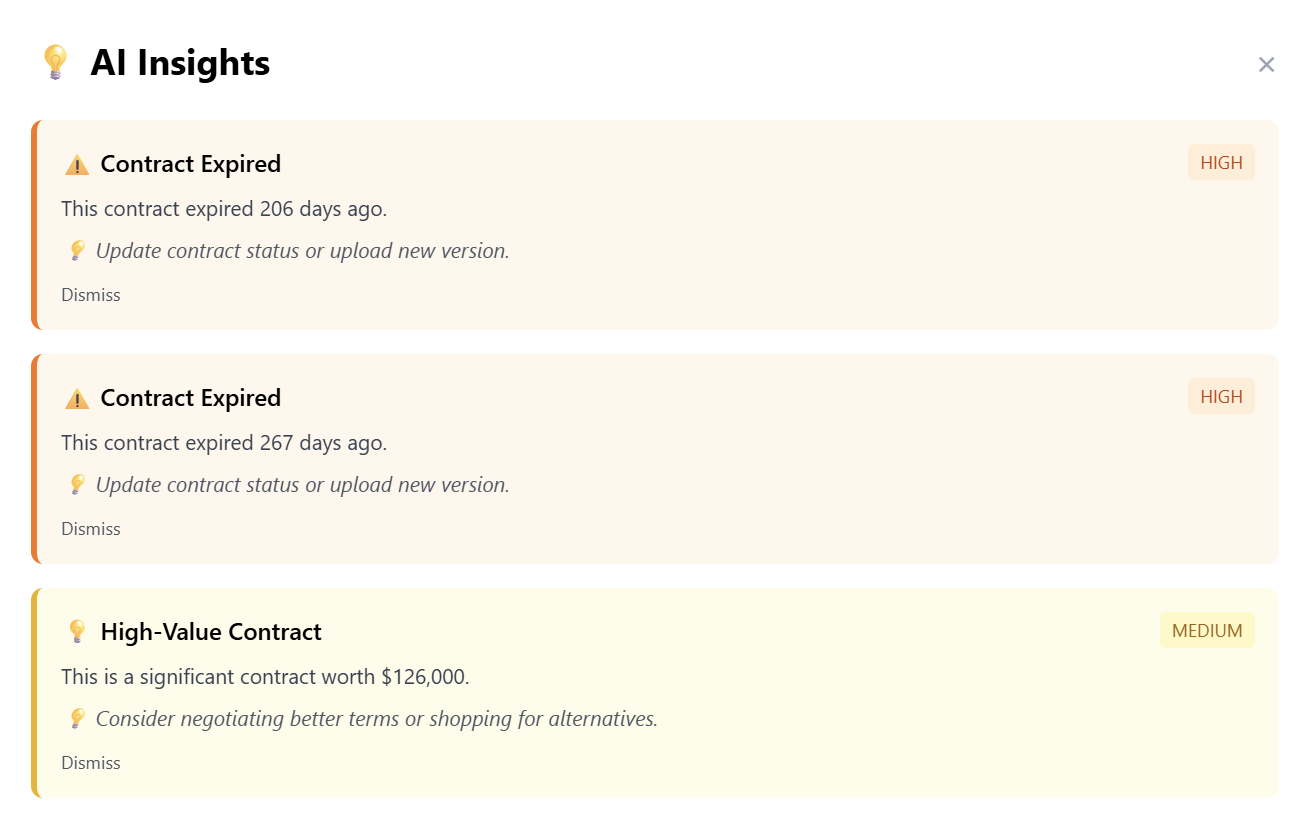
AI Insights Bar: This smart notification area flags urgent alerts and high-priority items (e.g., "0 urgent alerts, 2 high priority items") so users know exactly where to focus their attention.
2. Document Organization & Categories
To keep workflows organized, the tool provides a robust categorization system. Users can view documents by specific industry types:
-
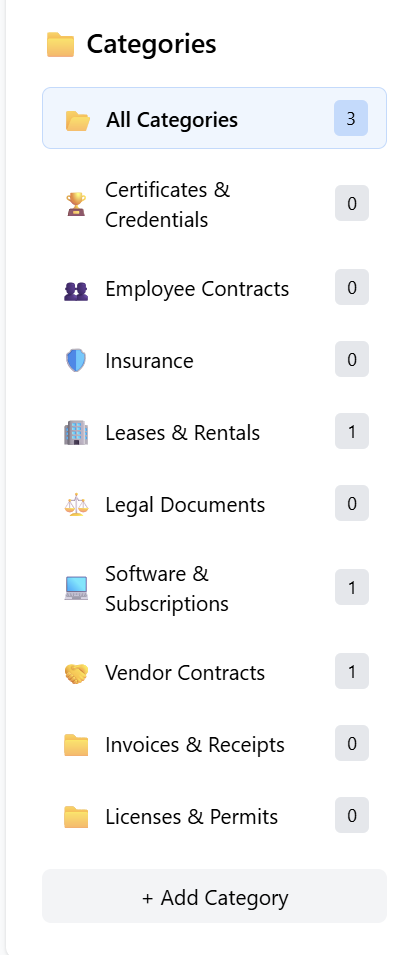
Predefined Categories: Including Software & Subscriptions, Leases & Rentals, Vendor Contracts, Employee Contracts, Insurance, and more.
-
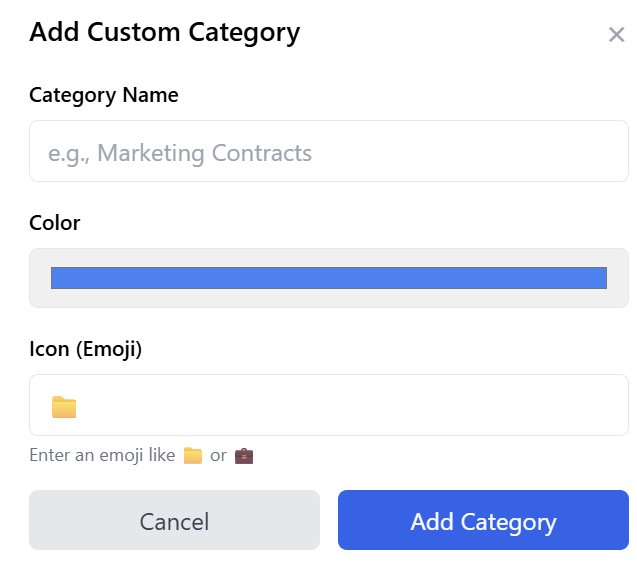
Custom Categories: Users are not limited to the defaults. Click "+ Add Category" to create custom folders tailored to a specific business niche.
3. Intelligent Document Processing
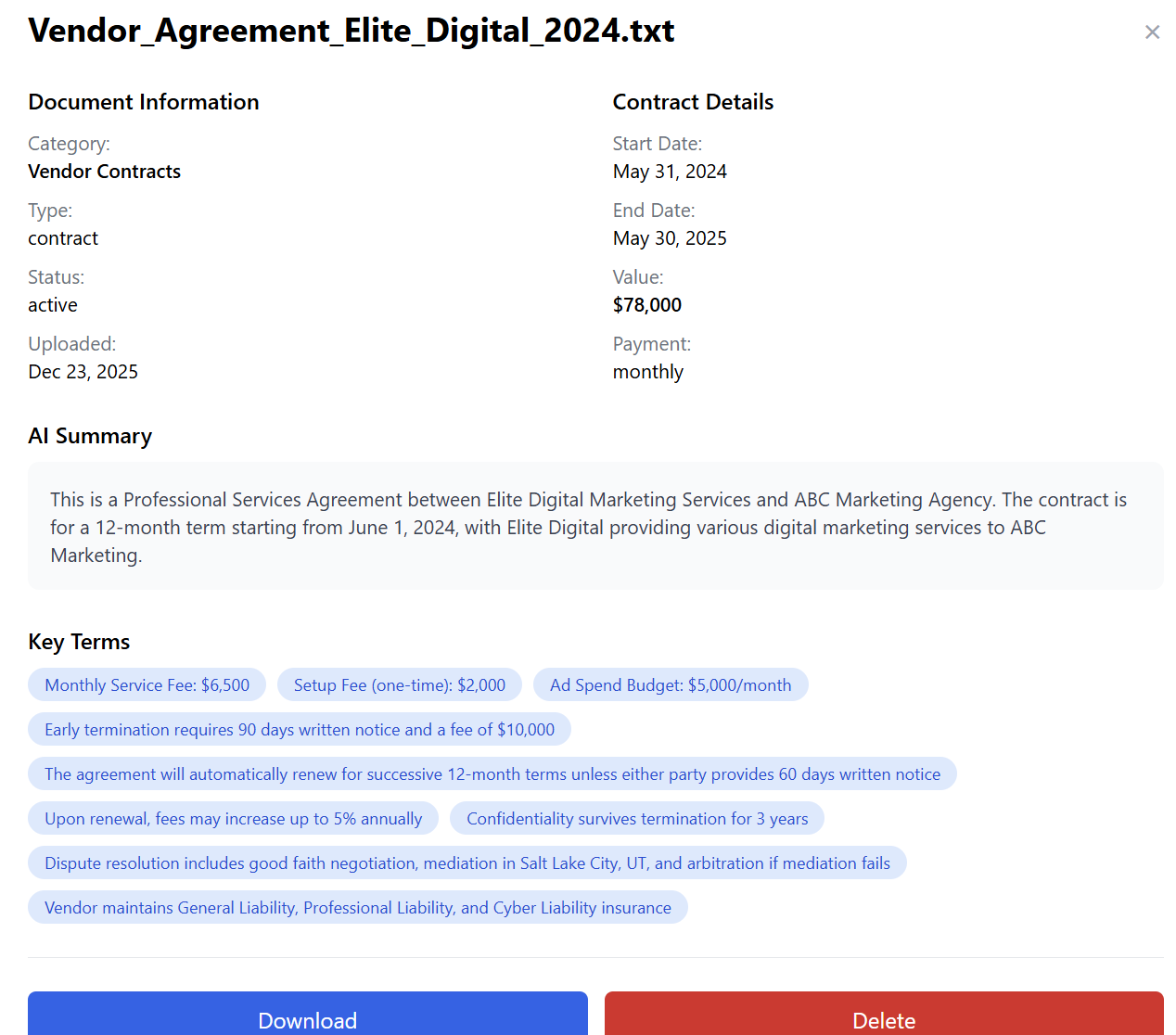
When a user clicks "Upload Document," the AI goes to work. For every file uploaded (such as a .txt, .pdf, or .docx), the system automatically identifies: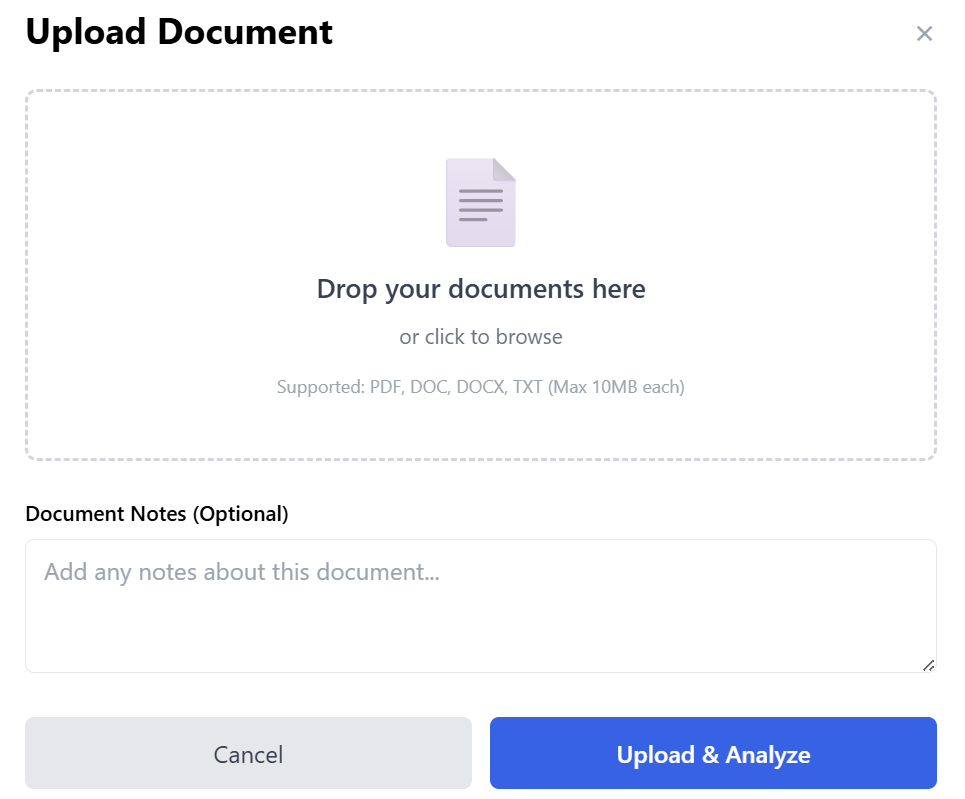
-
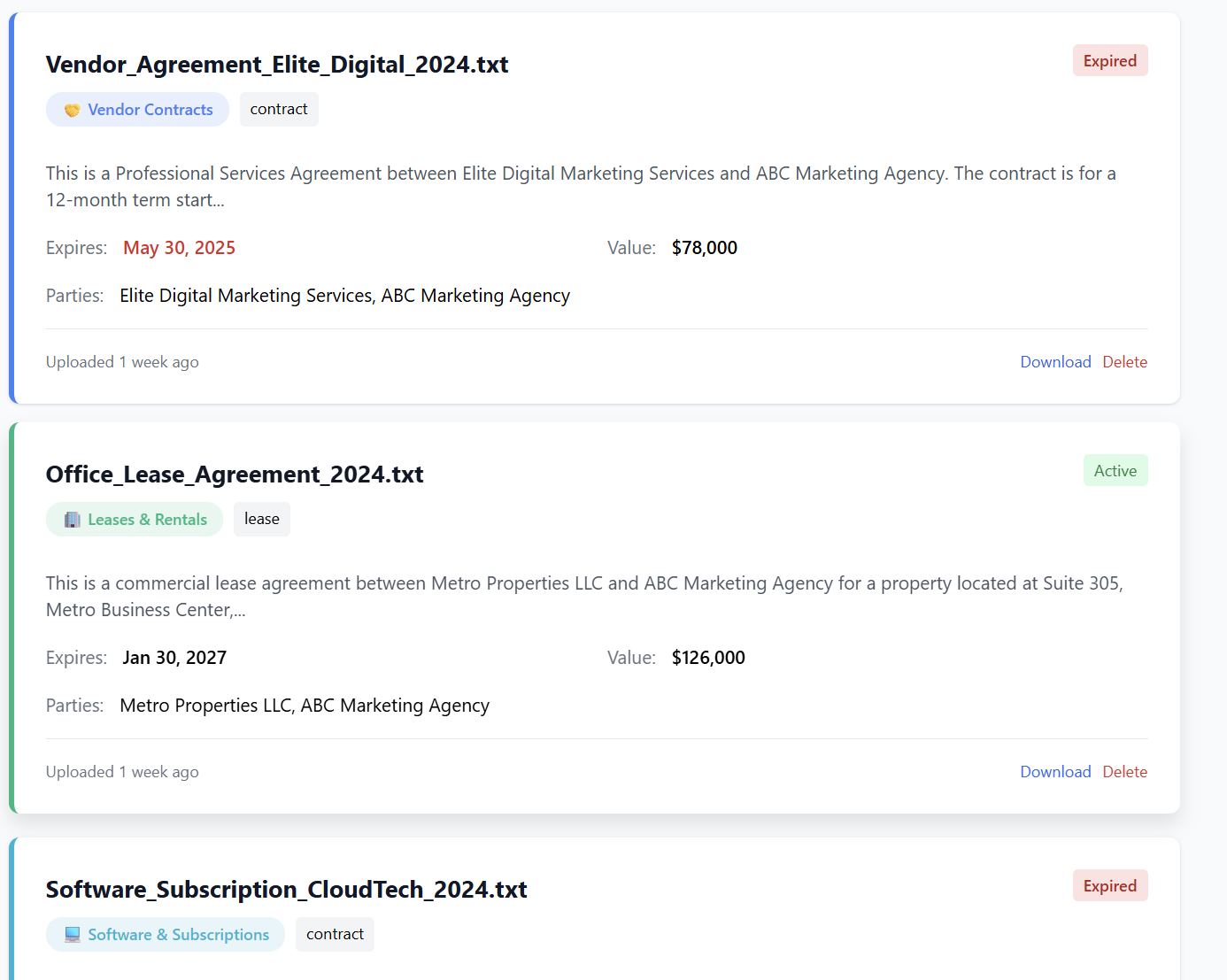
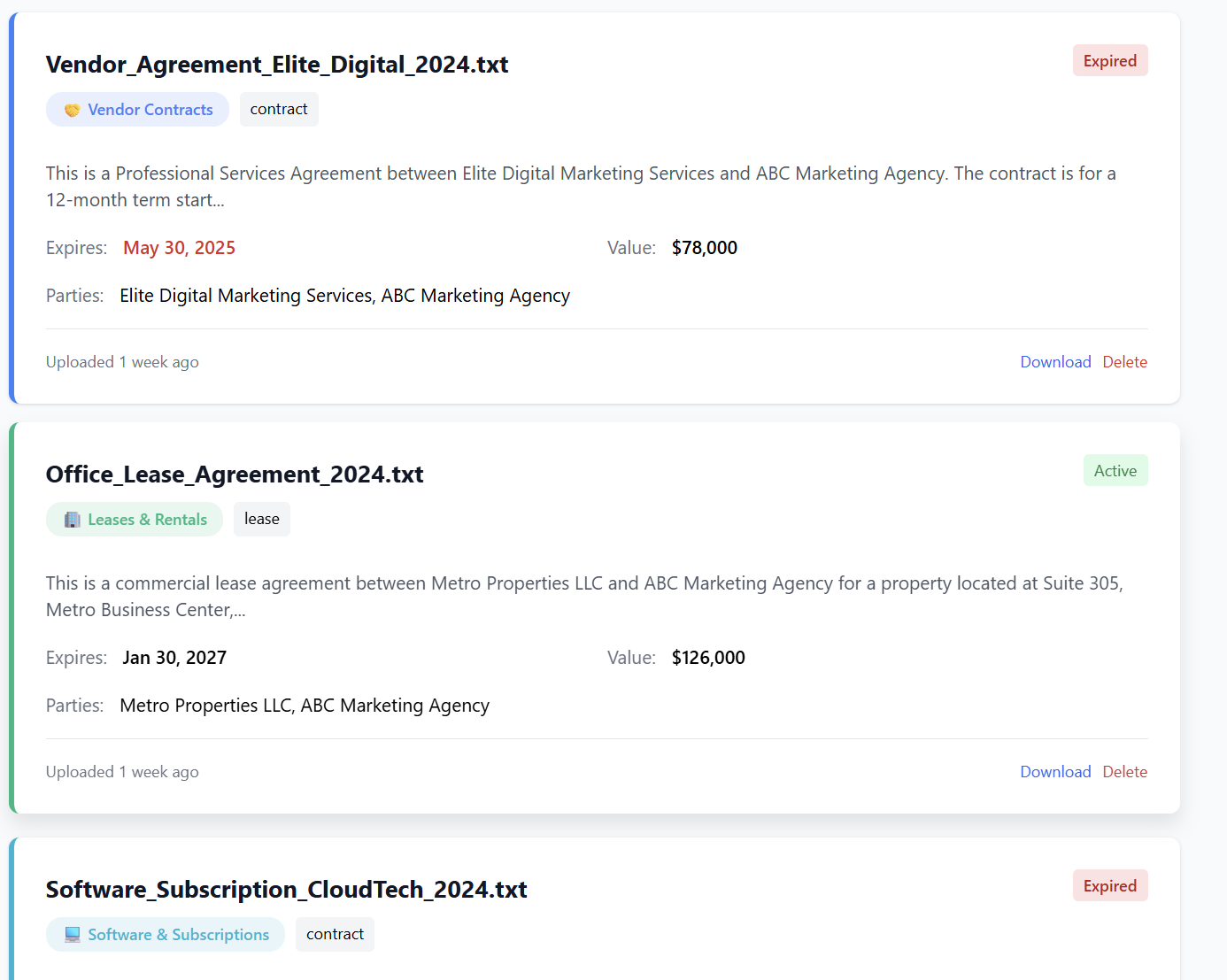
Status: Automatically marks documents as Active or Expired based on the date.
-
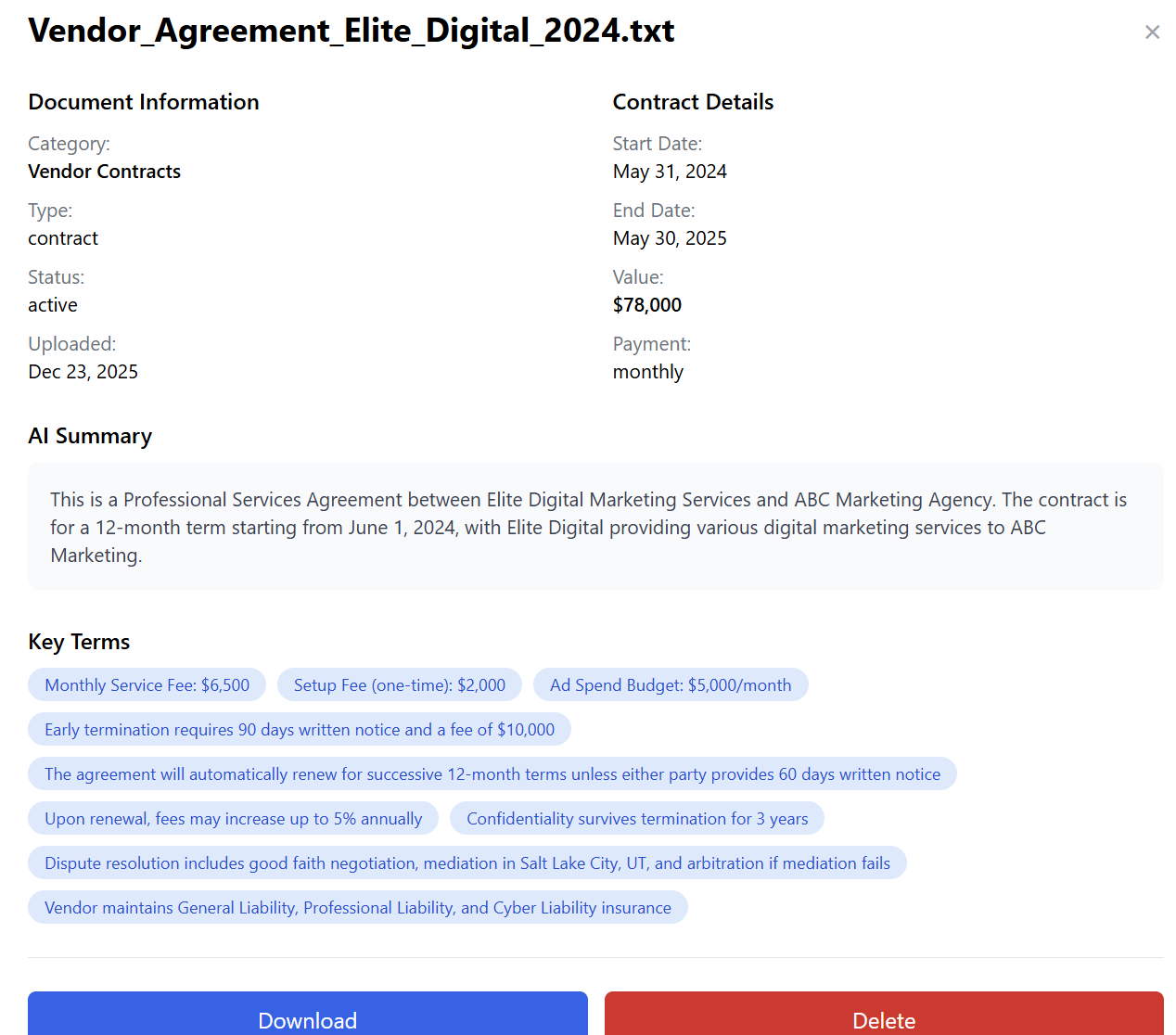
Summary: Provides a brief AI-generated snippet of what the contract is about.
-
Contract Intelligence: Extracts the Expiration Date, Total Value, and the Parties involved.
-
Management Actions: Users can Download the original file for reference or Delete it if it is no longer needed.
4. Email Notification Settings (Automation)
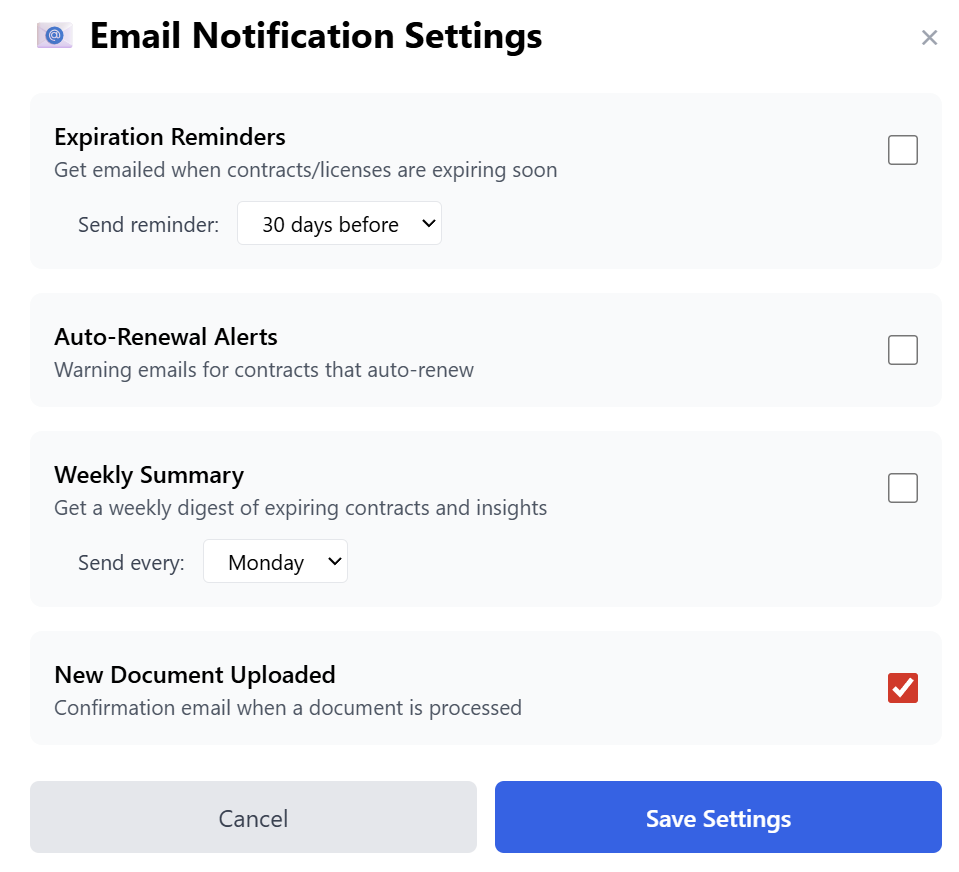
The true power of this tool lies in its "Set and Forget" automation. Click on "Email Settings" to configure how the business stays informed:
-
Expiration Reminders: Set the system to email you a specific number of days before a contract or license expires (e.g., 30 days before).
-
Auto-Renewal Alerts: Get warned before a contract automatically renews, giving the business time to renegotiate or cancel.
-
Weekly Summary: Receive a weekly digest (e.g., every Monday) that summarizes all expiring contracts and AI insights for the week ahead.
-
Upload Confirmations: Receive an email as soon as the AI has finished processing and "reading" a newly uploaded document.
5. Quick Filters & Search
As the document library grows, finding specific information remains easy:
-
Quick Filters: Instantly toggle between All Documents, Expiring Soon, Active, and Expired.
-
Smart Search: Use the search bar to find documents by filename, party name, or category.


Reseller Strategy: Why Sell This?
The AI Contract & Document Manager is an essential "peace of mind" tool.
-
Target Audience: Perfect for property managers (Leases), IT companies (Software Subscriptions), and general contractors (Vendor/Employee Agreements).
-
Value Proposition: Tell your clients: "One missed renewal can cost you thousands in penalties or service interruptions. This tool pays for itself by ensuring that never happens."
Ready to provision? Activate the AI Contract & Document Manager in the Marketplace on www.resellportal.com.